






Epson EcoTank L8100 – Stunning A4 Wi-Fi Six-Colour Multifunction Photo Printer
The Epson EcoTank L8100 A4 Wi-Fi Multifunction Ink Tank Photo Printer is a premium six-colour photo printer designed for professional photographers, photo studios, designers, creative businesses and home users who require beautiful photographic output alongside scanning and copying.
Featuring Epson Micro Piezo Heat-Free Technology, six refillable dye ink tanks, a high-resolution colour scanner and convenient wireless connectivity, the Epson EcoTank L8100 combines printing, scanning and copying in one versatile machine.
With its maximum print resolution of 5760 × 1440 dpi, borderless A4 printing, 2.4-inch colour LCD, USB memory-device support and direct printing on compatible CDs/DVDs and PVC ID cards, the L8100 is well suited to a wide range of photographic and creative printing applications.
Whether producing family portraits, wedding photographs, personalised gifts, identification cards or business presentation materials, the Epson EcoTank L8100 offers a combination of photo quality, convenience and economical ink refilling.
Professional Six-Colour Photo Printing with Epson EcoTank L8100
The Epson EcoTank L8100 uses a six-colour dye ink system to deliver colourful photographs with smooth gradations and fine detail.
Its ink configuration includes Black, Cyan, Magenta, Yellow, Light Cyan and Light Magenta.
The addition of Light Cyan and Light Magenta helps reproduce subtle shades, delicate gradients and natural-looking skin tones.
This makes the printer particularly useful for portrait photography, wedding photographs, travel pictures and creative artwork.
Compared with conventional four-colour printers, the six-colour configuration is designed to provide smoother tonal transitions in photographic images.
For photographers and designers who prioritise image quality, the Epson EcoTank L8100 provides a practical A4 photographic printing solution.
High-Resolution 5760 × 1440 dpi Printing
The Epson EcoTank L8100 offers a maximum print resolution of 5760 × 1440 dpi with Variable-Sized Droplet Technology.
This resolution helps reproduce sharp details, accurate-looking image transitions and clear colour graphics.
The printer uses an Epson Micro Piezo printhead designed to control ink placement precisely.
Its minimum ink droplet size of approximately 1.5 picolitres supports detailed photographic output.
These features make the L8100 suitable for portraits, photographs, creative designs, artwork samples and colourful presentation materials.
Print quality also depends on the source image, selected media, print settings and colour-management workflow.
For best results, users should select compatible photo paper and the appropriate print-quality mode.
Fast Photo Printing with Epson EcoTank L8100
The Epson EcoTank L8100 provides efficient photo-printing performance for studios and creative workspaces.
Under Epson’s manufacturer test conditions, it can produce a 4 × 6-inch photograph in approximately 25 seconds using default photo-printing settings.
For larger A4 photographs, the printer offers approximately 60 seconds for bordered output and 64 seconds for borderless output.
These performance figures make the printer suitable for regular photographic printing where quality and production time are both important.
Photography studios can use it to produce family portraits, event photographs and sample prints.
Actual print times vary according to image detail, printing resolution, media selection, software and connection method.
The rated speeds should not be treated as guaranteed output times for every image.
A4 Borderless Photo Printing
One of the main advantages of the Epson EcoTank L8100 is its support for borderless printing on compatible paper sizes up to A4.
Borderless printing allows photographs and designs to extend to the edges of the paper without conventional white margins.
This produces a clean photographic appearance suitable for framing, albums and presentation prints.
Users can create borderless photographs in popular sizes such as 4 × 6 inches, 5 × 7 inches, 8 × 10 inches and A4.
This feature is especially valuable for portrait studios, wedding photographers and customers preparing decorative photographs.
The printer is designed for A4-class output and does not support A3 printing.
Customers requiring larger A3+ photo printing should consider a compatible larger-format Epson EcoTank model.
Epson Micro Piezo Heat-Free Technology
The Epson EcoTank L8100 incorporates Epson Micro Piezo Heat-Free Technology.
Unlike thermal inkjet systems, the Epson printhead does not require heat during the ink ejection process.
Instead, Piezoelectric elements use mechanical pressure to eject ink droplets onto the paper.
The printing system includes 180 black nozzles and 180 nozzles for each of the five colour inks.
This arrangement supports controlled ink placement and consistent photographic output.
Epson specifies approximately 19 W operating power consumption under its testing conditions.
For customers producing photographs regularly, the combination of Micro Piezo technology and refillable inks provides an efficient photo-printing platform.
Economical Printing with Six Refillable Ink Tanks
The Epson EcoTank L8100 uses an integrated six-colour refillable ink tank system.
Instead of replacing conventional photo ink cartridges, users can replenish the individual colour reservoirs using genuine compatible Epson ink bottles.
The printer uses separate tanks for Black, Cyan, Magenta, Yellow, Light Cyan and Light Magenta.
This arrangement allows users to refill the required colour when necessary.
Epson’s specially designed bottle nozzles help simplify ink refilling and reduce accidental spills.
The front-facing ink tank arrangement makes it convenient to monitor remaining ink levels.
For photo studios and businesses producing photographs regularly, the EcoTank system provides a practical way to manage consumables.
Genuine Epson T09D Photo Ink Bottles
The Epson EcoTank L8100 uses genuine Epson T09D dye ink bottles, also identified as the 057 ink series in Epson’s technical brochure.
Each colour has a separate part number.
The six-colour configuration includes Black, Cyan, Magenta, Yellow, Light Cyan and Light Magenta.
These inks are designed for compatible Epson photo printers and support detailed photographic output.
Epson India’s official ink finder lists the T09D family for the L8100.
Customers should use the correct replacement bottle codes rather than assuming that inks designed for other EcoTank models are interchangeable.
Using the proper ink formulation is important for achieving expected colour reproduction and reliable printer operation.
High-Yield Colour and Photo Printing
The Epson EcoTank L8100 is designed for customers who need economical photographic printing.
According to Epson India, a replacement set of compatible ink bottles can deliver up to 2,100 borderless 4R photographs under the manufacturer’s stated testing methodology.
The manufacturer also specifies up to 3,600 monochrome document pages and 7,200 colour document pages, with the colour yield measured as a composite result.
These estimates use different test patterns and should not be considered interchangeable.
Actual photo yield depends on colour coverage, paper type, printing frequency, image content and maintenance requirements.
For photo studios, the estimated number of 4R photographs produced per replacement ink set is an important factor when calculating production costs.
High-Resolution Colour Flatbed Scanning
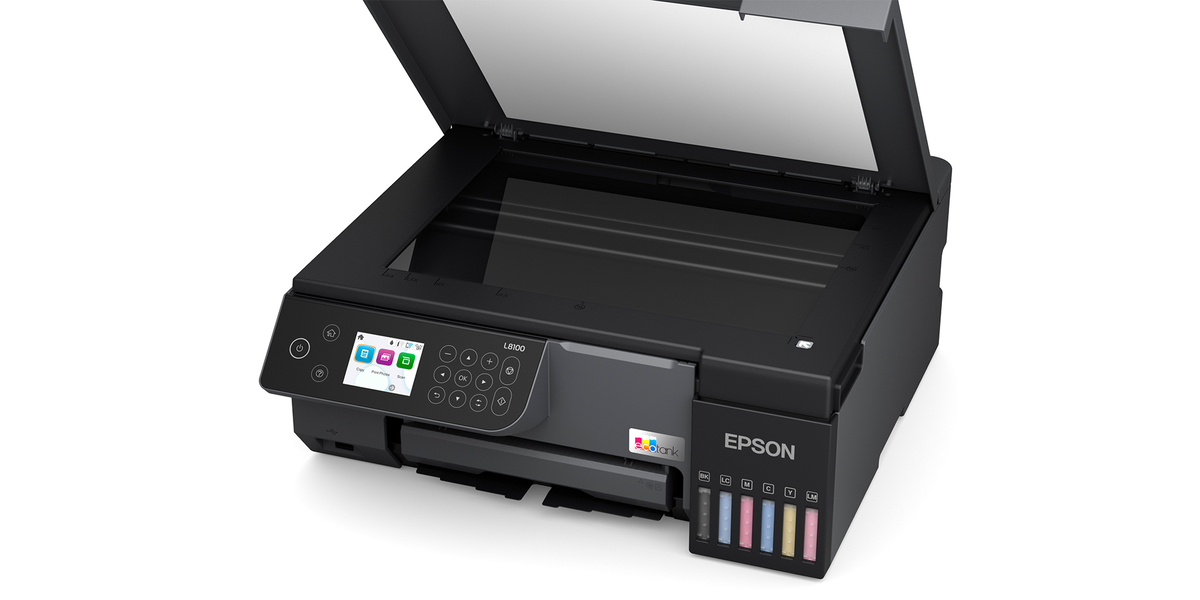
A key advantage of the Epson EcoTank L8100 over a print-only photo printer is its integrated colour flatbed scanner.
The scanner uses CIS technology and provides an optical resolution of 1200 × 4800 dpi.
Its maximum scanning area is approximately 216 × 297 mm, suitable for standard A4 originals.
This makes it useful for digitising photographs, documents, drawings, application forms and other printed material.
Users can scan originals in colour, grayscale or black and white.
Colour scanning helps preserve the appearance of documents containing photographs, coloured stamps, highlights and graphics.
For photographers, the scanner can also provide a convenient way to digitise suitable physical photographs.
Fast A4 Scanning Performance
The Epson EcoTank L8100 offers convenient flatbed scanning for everyday creative and office requirements.
At 200 dpi, Epson specifies monochrome scanning times of approximately 6 seconds for suitable originals.
Colour scanning takes approximately 11 seconds under the same reference resolution.
The scanner supports colour input depth of 48 bits and output depth of 24 bits.
This makes it suitable for capturing documents and photographs with a range of colour information.
Actual scanning speeds depend on document size, resolution, software, connection and post-processing.
Because the scanner is flatbed-only, users must position originals individually rather than loading them into an automatic document feeder.
Standalone Colour Photocopying
The Epson EcoTank L8100 provides standalone copying in both black and colour.
Users can reproduce compatible documents and images directly from the printer without requiring a connected computer.
The manufacturer specifies ISO A4 copying speeds of up to 7.5 ipm in black and 7.5 ipm in colour.
The copying system supports up to 99 copies per standalone operation.
Users can adjust copy quality and reduce or enlarge originals between 25% and 400%, with supported automatic fit settings.
The maximum copy resolution is 600 × 600 dpi.
This makes the L8100 useful for copying forms, photographs, correspondence and selected presentation materials.
2.4-Inch Colour LCD Display
The Epson EcoTank L8100 features a 6 cm (2.4-inch) colour LCD display.
The display provides a convenient interface for accessing printer settings, selecting photographs and managing supported copying and scanning functions.
Users can operate the printer using the LCD and its physical control buttons.
The display is especially useful when accessing photographs from a compatible USB storage device.
It also provides printer status information and access to routine maintenance settings.
The built-in screen makes the L8100 more convenient for standalone operation than a printer that relies entirely on a connected computer.
The LCD is not specified as a touchscreen.
Direct Photo Printing from USB Memory Devices
The Epson EcoTank L8100 includes a USB host port for compatible memory devices.
Users can print supported JPEG photographs directly from a suitable USB flash drive.
This feature is particularly useful in photography studios and creative businesses where images need to be printed without connecting a laptop.
Photographs can be selected through the printer’s LCD interface.
The USB host connection also supports scanning to a compatible memory device.
This allows users to save supported scanned documents without first transferring the scan to a computer.
USB storage compatibility and supported file formats should be checked against Epson’s documentation.
Convenient Wi-Fi Printing
The Epson EcoTank L8100 features built-in Wi-Fi connectivity.
Users can connect the printer to a compatible wireless network and print photographs from supported computers, laptops, smartphones and tablets.
Wireless printing makes the printer convenient for photo studios and creative workspaces where images may be stored on several devices.
It also reduces the need to position the printer permanently beside a single computer.
The L8100 supports IEEE 802.11b/g/n wireless networking.
Connection performance depends on the configured network, device compatibility and signal quality.
Wi-Fi Direct for Router-Free Photo Printing
The Epson EcoTank L8100 also supports Wi-Fi Direct.
This feature allows compatible devices to connect directly to the printer without requiring a separate wireless router.
Wi-Fi Direct can be useful when users want to print photographs from a smartphone or laptop in a location without an established wireless network.
For small studios and temporary event workspaces, this provides additional printing flexibility.
Users must install or configure compatible printing software where required.
The combination of Wi-Fi and Wi-Fi Direct offers convenient options for different working environments.
Epson Smart Panel Mobile Application
The Epson EcoTank L8100 supports the Epson Smart Panel application.
This app allows users to access supported printer setup, monitoring and operation functions from compatible mobile devices.
Customers can use the app to configure wireless connectivity, manage selected printing tasks and access routine maintenance features.
For photographers who regularly store images on smartphones, mobile printing helps simplify the process of producing physical photographs.
Epson Smart Panel can also support selected scanning functions where available.
The precise features depend on the smartphone, operating system, app version and printer configuration.
Epson Connect and Remote Printing
The Epson EcoTank L8100 supports Epson Connect services.
These include Epson Email Print, Remote Print Driver and Scan to Cloud.
Email Print allows supported documents to be sent to a properly registered printer through email.
The Remote Print Driver supports compatible remote printing workflows.
Scan to Cloud enables selected scanned documents to be sent to configured online destinations.
These services provide flexibility for users working across multiple devices or locations.
Internet access, compatible applications and Epson service registration may be necessary.
Mobile Printing with Apple AirPrint and Mopria
The Epson EcoTank L8100 supports compatible Apple AirPrint and Mopria Print Service workflows.
These technologies allow users to print from supported Apple and Android devices without relying on traditional desktop printer drivers.
This can be useful for customers who frequently print images or documents stored on smartphones and tablets.
The printer’s wireless connectivity makes it suitable for flexible home and business environments.
Available functions depend on device compatibility and the configured network.
Users should ensure that their devices and printer software are updated and properly configured.
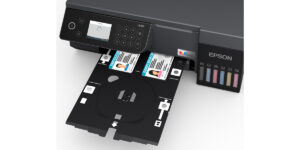
Direct Printing on Compatible PVC ID Cards
The Epson EcoTank L8100 supports direct printing on compatible PVC ID cards.
It is designed for 54 × 86 mm cards, a common identification-card format.
This feature is useful for businesses preparing employee identification cards, membership cards, event passes and similar personalised products.
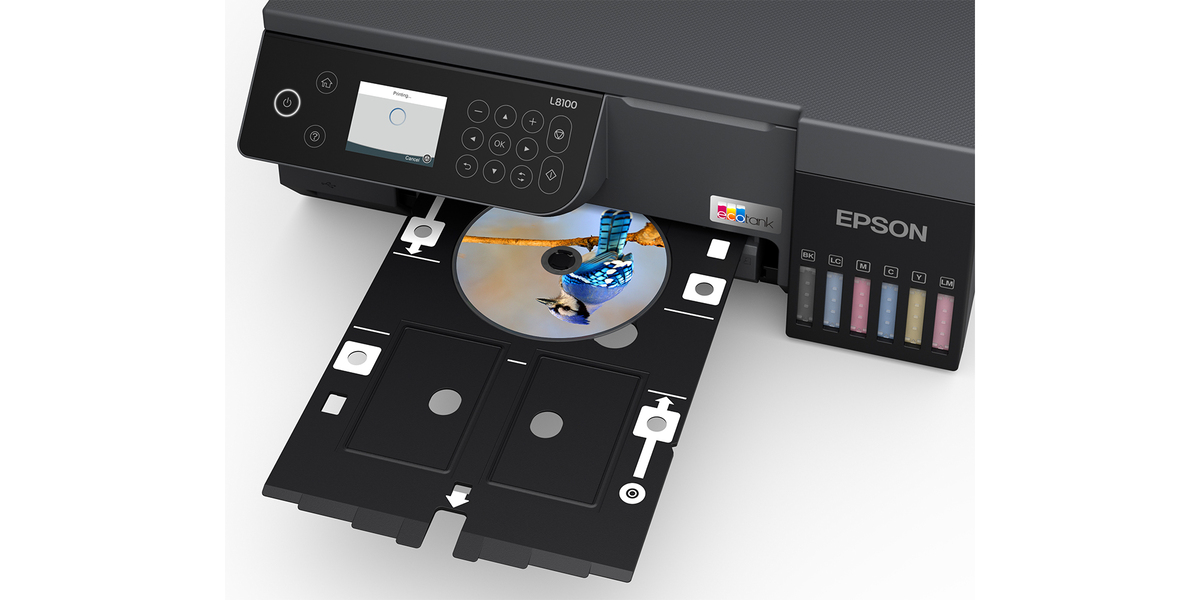
The manufacturer provides a dedicated disc and ID card tray for supported media.
Customers must use suitable inkjet-printable PVC cards and the correct tray and printing settings.
Ordinary uncoated PVC cards should not be assumed compatible.
For small-scale personalised ID card production, this capability extends the usefulness of the L8100 beyond ordinary photo printing.
CD and DVD Surface Printing
The Epson EcoTank L8100 supports direct printing on compatible inkjet-printable CDs and DVDs.
Users can create personalised disc surfaces featuring photographs, text, logos and other graphics.
This is useful for photographers preparing event media, wedding collections, personalised gifts and presentation discs.
The printer uses the dedicated compatible disc tray for this function.
Customers should use discs specifically designed for inkjet printing.
Direct disc printing should not be confused with writing digital information onto a disc; the printer prints only the disc’s suitable surface.
A4 Paper Handling for Photos and Documents
The Epson EcoTank L8100 includes a single paper-feeding system suitable for ordinary documents and photographic media.
It supports up to 100 sheets of A4 plain paper at Epson’s specified 80 gsm weight.
For Premium Glossy Photo Paper, the manufacturer specifies an input capacity of up to 20 sheets.
Output capacity is up to 100 sheets for A4 plain paper or 30 sheets for compatible premium glossy photo paper.
These capacities make the printer practical for small photo studios and routine creative printing.
Actual capacity depends on media thickness, type and loading conditions.
Flexible Photo Paper Size Support
The Epson EcoTank L8100 supports popular photographic sizes including 3.5 × 5 inches, 4 × 6 inches, 5 × 7 inches, 5 × 8 inches and 8 × 10 inches.
It also supports A4, A5, B5, B6, Letter, Legal, Indian Legal and selected envelope sizes.
The printer accommodates certain custom paper dimensions up to approximately 215.9 × 2000 mm, subject to the manufacturer’s supported settings.
Borderless printing is supported on compatible media up to A4.
This flexibility makes the L8100 suitable for portraits, albums, design samples and selected document printing.
The machine is an A4-class photo printer rather than an A3 printer.
Easy Ink Refilling and Front Access Maintenance
The Epson EcoTank L8100 features front-facing refillable ink tanks and a compact integrated design.
The ink bottle system helps simplify replenishment using the correct genuine Epson T09D colours.
The printer also supports convenient access to certain replaceable maintenance parts.
Epson’s India brochure specifies maintenance box C12C934601 and pickup roller C12C937781.
These components help support ongoing printer operation and paper feeding.
The maintenance box collects waste ink generated during selected cleaning and maintenance procedures.
Customers should follow Epson’s instructions when replacing parts and verify the correct regional SKU before ordering.
Compact and Professional Photo Printer Design
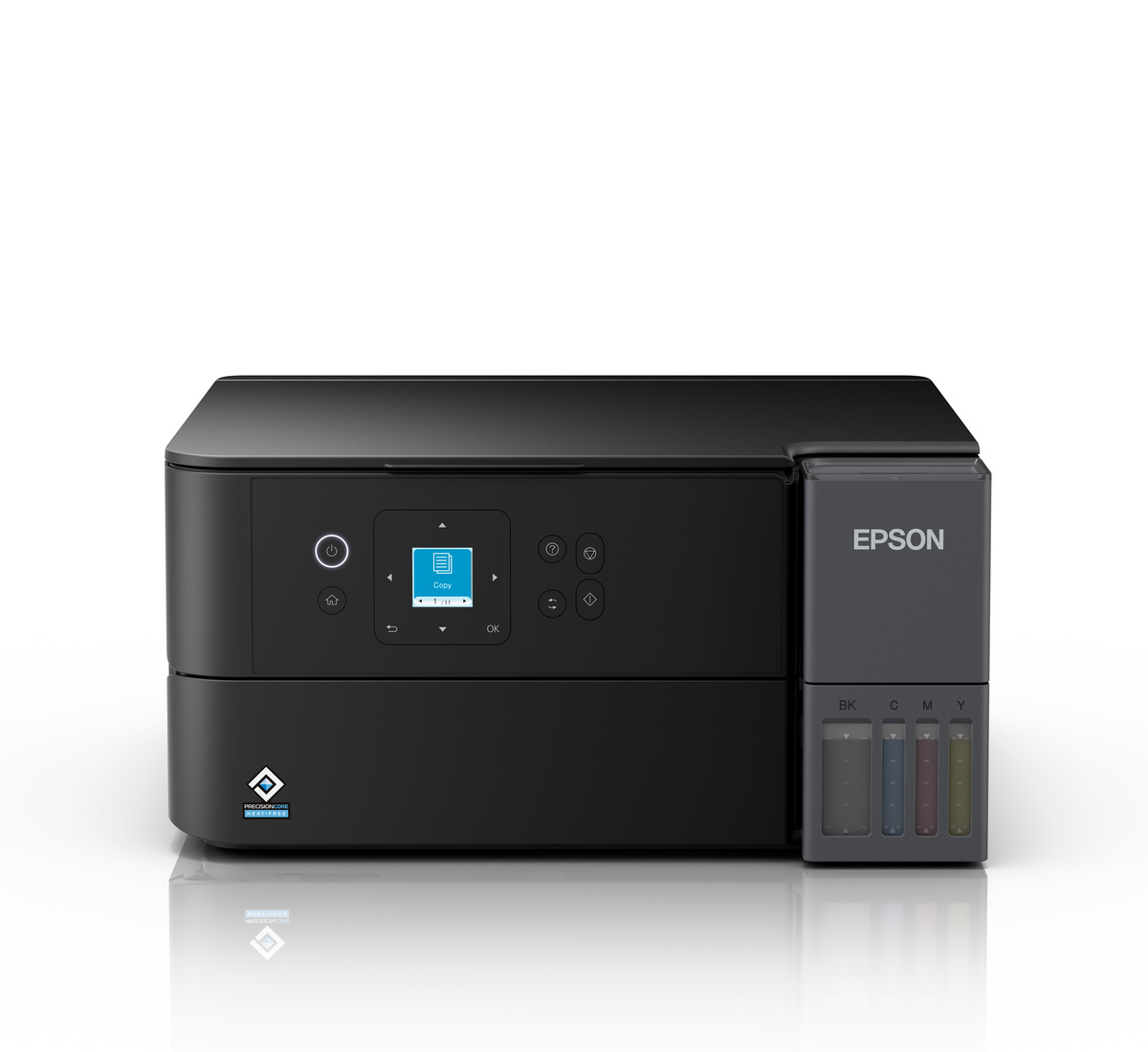
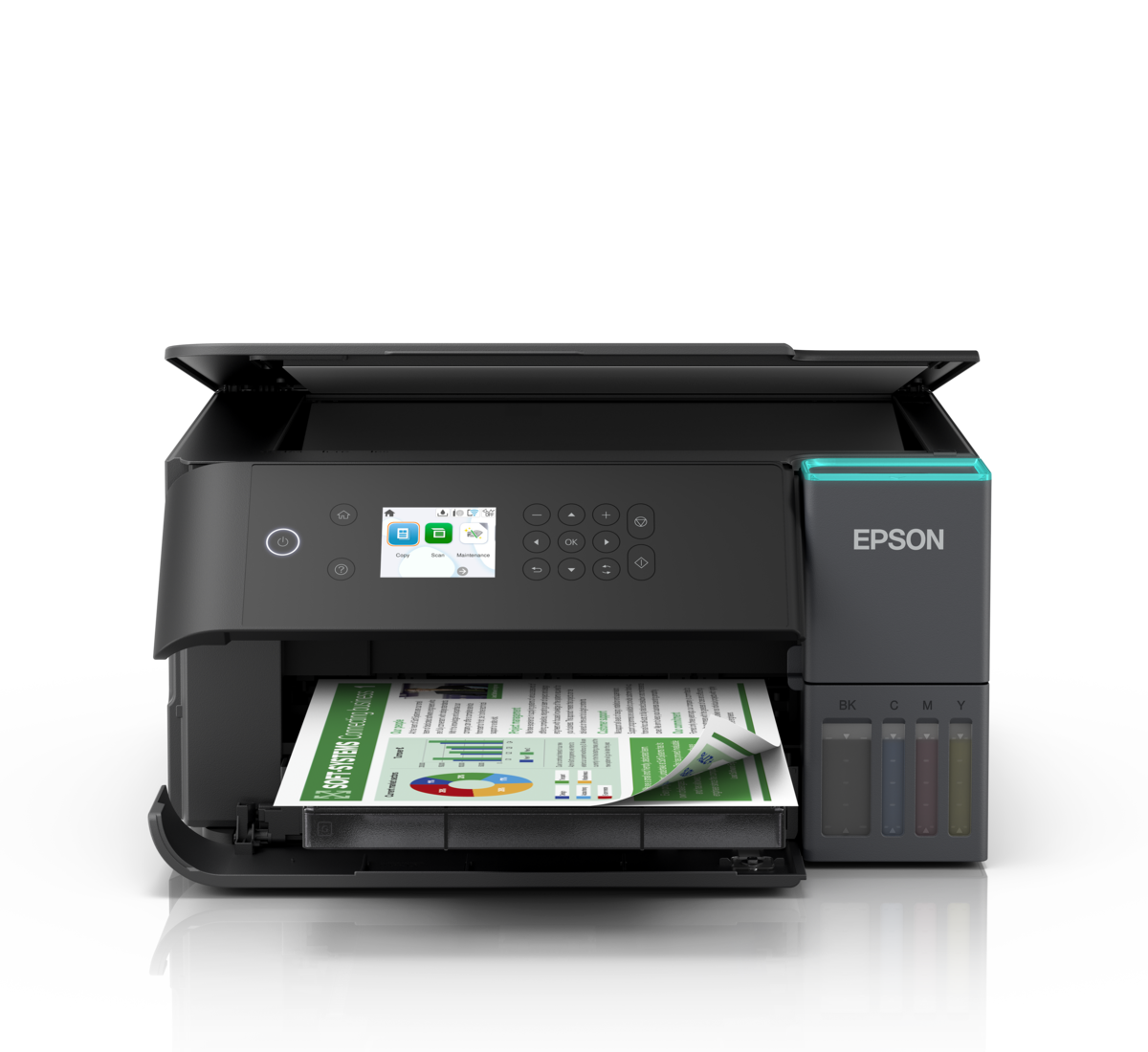
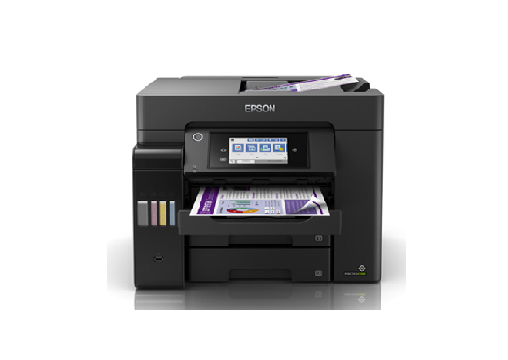
The Epson EcoTank L8100 features a black exterior with integrated ink tanks and a colour LCD control panel.
Its approximate dimensions are 404 × 410 × 162 mm.
The printer weighs approximately 7.6 kg.
The integrated design is suitable for photography studios, creative workspaces and office desks with adequate clearance.
Its flatbed scanner is positioned above the printing mechanism, while the ink tanks remain visible on the front.
The compact construction makes it suitable for businesses that need printing, scanning and copying without purchasing three separate devices.
Suitable for Photography Studios
The Epson EcoTank L8100 is particularly useful for photography studios that produce regular colour photo prints.
Its six-colour dye ink system supports detailed portraits, event photographs, wedding pictures and family albums.
Borderless A4 printing allows studios to create larger prints alongside common 4R and 5R photographs.
The integrated scanner can be used to digitise suitable existing photographs, while the copier handles selected reproduction tasks.
Its refillable ink system can help reduce recurring consumable expenses compared with smaller cartridge-based printers.
Studios should calculate running costs using current ink prices and compatible photo paper.
Ideal for Creative Businesses and Personalised Printing
The Epson EcoTank L8100 is suitable for a range of personalised printing applications.
Designers can use it for artwork samples, colourful graphics and presentation materials.
Photography businesses can print portraits, photo albums and event pictures.
Small businesses can produce supported PVC identification cards and printable CD/DVD surfaces.
Home users can print family photographs, school projects and creative designs.
The combination of scanning, copying, wireless connectivity and high-quality six-colour printing makes the L8100 a versatile creative workstation.
Epson EcoTank L8100 vs L8050
The Epson EcoTank L8100 and L8050 share several important photographic printing features.
Both use Epson Micro Piezo Heat-Free Technology, six-colour dye ink, 5760 × 1440 dpi print resolution, Wi-Fi and Wi-Fi Direct.
Both support borderless A4 photographs, compatible PVC ID cards and printable CD/DVD media.
The key difference is multifunction capability.
The Epson L8050 is a single-function photo printer, while the Epson L8100 adds a 1200 × 4800 dpi colour scanner, standalone copying, 2.4-inch colour LCD and direct USB memory-device functionality.
Customers who only need photo printing may choose the L8050.
Customers who also require scanning and copying should consider the L8100.
Epson EcoTank L8100 vs L8180
The Epson EcoTank L8100 and L8180 are designed for different photo-printing requirements.
The L8100 is an A4 six-colour multifunction photo printer suitable for photographs, creative designs, scanning and copying.
The L8180 is a larger-format multifunction photo printer designed for customers who require photo printing up to A3+ and additional paper-handling flexibility.
The L8100 is particularly suitable for customers focusing on 4R, 5R, 8 × 10-inch and A4 photographic output.
Customers requiring regular A3+ photographs, large artwork or oversized presentation materials should evaluate the L8180.
The choice should be based on print-size requirements, ink technology, paper handling and expected usage.
Epson EcoTank L8100 Warranty
Epson India specifies a manufacturer’s warranty of one year or 50,000 prints, whichever occurs first, for the EcoTank L8100.
The warranty includes printhead coverage under the applicable manufacturer’s terms.
This provides reassurance to customers purchasing the machine for regular photographic printing.
Customers should retain their purchase invoice and follow Epson’s applicable registration and service requirements.
Using genuine compatible inks and performing recommended maintenance can help maintain consistent print quality.
Why Choose Epson EcoTank L8100?
The Epson EcoTank L8100 combines high-quality six-colour photography printing, borderless A4 output, colour scanning and standalone copying.
Its 5760 × 1440 dpi printing resolution supports detailed photographs and smooth colour transitions.
The six refillable ink reservoirs help manage consumable expenses, while Wi-Fi and Wi-Fi Direct provide flexible device connectivity.
Direct USB photo printing, a colour LCD and support for suitable PVC ID cards and printable CDs/DVDs add practical versatility.
For photographers, small creative businesses and users seeking an A4 multifunction photo printer, the Epson EcoTank L8100 offers a comprehensive printing solution.
For official manufacturer specifications, visit the Epson EcoTank L8100 product page.
For genuine ink compatibility, visit the Epson L8100 ink compatibility page.
Technical Specifications
| Specification | Details |
|---|---|
| Brand | Epson |
| Series | EcoTank |
| Model | L8100 |
| Manufacturer Part Number | C11CK94502 |
| Suggested Seller SKU | EPSON-L8100-A4-WIFI-PHOTO-AIO |
| Product Type | A4 Six-Colour Multifunction Ink Tank Photo Printer |
| Functions | Print, Scan, Copy |
| Print Output | Full Colour and Black & White |
| Printer Colour | Black |
| Printing Technology | Epson Micro Piezo Heat-Free Inkjet |
| Ink Technology | Dye-Based Photo Ink |
| Number of Ink Colours | 6 |
| Ink Colours | Black, Cyan, Magenta, Yellow, Light Cyan, Light Magenta |
| Black Printhead Nozzles | 180 |
| Colour Printhead Nozzles | 180 per Colour |
| Printing Direction | Bidirectional |
| Maximum Print Resolution | 5760 × 1440 dpi |
| Minimum Ink Droplet | 1.5 pl |
| A4 Draft Speed – Black | Up to 22 ppm |
| A4 Draft Speed – Colour | Up to 22 ppm |
| ISO A4 Simplex Speed – Black | Up to 8 ipm |
| ISO A4 Simplex Speed – Colour | Up to 8 ipm |
| First Page Out – Black | Approximately 14 seconds |
| First Page Out – Colour | Approximately 14 seconds |
| 4 × 6-Inch Bordered Photo | Approximately 25 seconds |
| 4 × 6-Inch Borderless Photo | Approximately 25 seconds |
| A4 Bordered Photo | Approximately 60 seconds |
| A4 Borderless Photo | Approximately 64 seconds |
| Printer Languages | ESC/P-R, ESC/P Raster |
| Maximum Standard Print Size | A4 |
| Maximum Custom Paper Size | 215.9 × 2000 mm |
| Borderless Printing | Yes, up to A4 on compatible media |
| Automatic Duplex Printing | No |
| CD/DVD Printing | Yes, compatible inkjet-printable discs |
| PVC ID Card Printing | Yes, compatible coated cards |
| Supported PVC Card Size | 54 × 86 mm |
| Scanner Type | CIS Colour Flatbed |
| Optical Scanning Resolution | 1200 × 4800 dpi |
| Maximum Scanning Area | 216 × 297 mm |
| Colour Scan Depth | 48-bit Input / 24-bit Output |
| Grayscale Scan Depth | 16-bit Input / 8-bit Output |
| Monochrome Scan Depth | 16-bit Input / 1-bit Output |
| Flatbed Black Scan Speed | Approximately 6 seconds at 200 dpi |
| Flatbed Colour Scan Speed | Approximately 11 seconds at 200 dpi |
| Automatic Document Feeder | No |
| Automatic Duplex Scanning | No |
| Copy Function | Yes |
| Copy Output | Black & White and Colour |
| ISO A4 Copy Speed – Black | Up to 7.5 ipm |
| ISO A4 Copy Speed – Colour | Up to 7.5 ipm |
| Copy Quality | Draft, Standard, High |
| Maximum Standalone Copies | 99 |
| Copy Resolution | 600 × 600 dpi |
| Copy Reduction / Enlargement | 25%–400%, Auto Fit |
| Maximum Copy Size | A4 / Letter |
| Fax | No |
| Paper Feed Method | Friction Feed |
| Number of Paper Trays | 1 |
| A4 Plain Paper Input | 100 sheets at 80 gsm |
| Premium Glossy Photo Paper Input | 20 sheets |
| A4 Plain Paper Output | Up to 100 sheets |
| Premium Glossy Photo Paper Output | Up to 30 sheets |
| Supported Standard Paper Sizes | A4, A5, B5, B6, Letter, Legal, Indian Legal |
| Supported Photo Sizes | 3.5 × 5, 4 × 6, 5 × 7, 5 × 8, 8 × 10 inches, 16:9 Wide |
| Supported Envelopes | #10, DL, C6 |
| Plain Paper Weight | 64–90 gsm |
| Photo Paper Weight | 102–300 gsm |
| Standard Print Margins | 3 mm, unless compatible borderless setting is selected |
| USB Connectivity | USB 2.0 |
| USB Host | Yes, compatible memory devices |
| Direct USB Printing | Yes, JPEG images |
| Scan to USB Memory | Yes |
| Wi-Fi | IEEE 802.11b/g/n |
| Wi-Fi Direct | Yes |
| Ethernet | No |
| Network Protocols | TCP/IPv4, TCP/IPv6 |
| Network Management | SNMP, HTTP, DHCP, APIPA, DDNS, mDNS, SLP, WSD, LLTD |
| Epson Connect | Smart Panel, Email Print, Remote Print Driver, Scan to Cloud |
| Driverless Printing | Apple AirPrint, Mopria, Chrome OS |
| Compatible Software | Epson Photo+, Epson ScanSmart, Epson Device Admin |
| LCD Display | 6 cm (2.4-inch) Colour LCD |
| Touchscreen | Not specified; physical control buttons |
| Genuine Ink Series – India | Epson T09D / 057 |
| Black Ink Code | C13T09D198 |
| Cyan Ink Code | C13T09D298 |
| Magenta Ink Code | C13T09D398 |
| Yellow Ink Code | C13T09D498 |
| Light Cyan Ink Code | C13T09D598 |
| Light Magenta Ink Code | C13T09D698 |
| Black Document Page Yield | Up to 3,600 pages |
| Colour Document Page Yield | Up to 7,200 pages, composite |
| 4R Photo Yield | Up to 2,100 photos, composite |
| Maintenance Box | C12C934601 |
| Pickup Roller | C12C937781 |
| Operating Power Consumption | Approximately 19 W |
| Standby Power | Approximately 4.8 W |
| Sleep Power | Approximately 0.7 W |
| Power Off Consumption | Approximately 0.2 W |
| Rated Voltage | AC 220–240 V |
| Rated Frequency | 50–60 Hz |
| Dimensions (W × D × H) | 404 × 410 × 162 mm |
| Weight | Approximately 7.6 kg |
| Manufacturer Warranty – India | 1 Year or 50,000 Prints, whichever occurs first |




Reviews
Clear filtersThere are no reviews yet.