







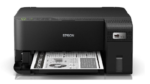


Epson EcoTank M1050 – Best Monochrome Wi-Fi Ink Tank Printer for Office Printing
The Epson EcoTank M1050 is a compact, reliable and economical monochrome single-function ink tank printer designed for small businesses, professional offices, educational institutions and home workspaces. Featuring Epson PrecisionCore Heat-Free Technology, high-speed black-and-white printing, Wi-Fi connectivity and refillable pigment ink tanks, the printer delivers efficient document printing with manageable running costs.
The Epson EcoTank M1050 is designed specifically for black-and-white document printing. Unlike multifunction printers, it does not include scanning, photocopying or fax functions. This makes it a practical choice for customers who need a dedicated printer for invoices, quotations, office correspondence, reports, application forms, financial statements and everyday documents.
Its compact design, 100-sheet rear paper feeder, Ethernet connectivity and high-yield ink system make it suitable for workplaces where economical monochrome printing is a priority.
High-Quality Black-and-White Printing with Epson EcoTank M1050
The Epson EcoTank M1050 uses PrecisionCore printhead technology to produce sharp black text and detailed monochrome graphics.
With a maximum printing resolution of 1200 × 2400 dpi, the printer delivers clear text, readable tables and detailed black-and-white illustrations.
Its pigment-based black ink is particularly suitable for documents containing small text, financial information, business correspondence and reports.
The printer uses Epson DURABrite ET pigment ink technology, designed to provide clear and water-resistant prints on suitable paper.
This makes the Epson EcoTank M1050 an effective solution for offices requiring professional-looking monochrome documents.
Fast Monochrome Printing with PrecisionCore Technology
The Epson EcoTank M1050 delivers efficient printing speeds for routine home and office requirements.
The printer offers maximum draft printing speeds of up to 33 pages per minute for A4 black-and-white text.
Under ISO 24734 testing conditions, it achieves single-sided A4 printing speeds of up to 18 images per minute.
These speeds help users prepare invoices, quotations, reports, educational documents, forms and administrative paperwork efficiently.
The printer’s PrecisionCore printhead includes 400 × 2 black ink nozzles designed to support consistent monochrome output.
Actual print speeds may vary depending on document complexity, paper type, print settings, operating system and connectivity.
Economical Printing with High-Yield Black Ink
A major advantage of the Epson EcoTank M1050 is its refillable black ink tank system.
Instead of requiring conventional disposable toner or ink cartridges, the printer uses a high-capacity ink reservoir that can be refilled using compatible genuine Epson pigment ink bottles.
Epson’s manufacturer brochure specifies that its high-capacity 005 black ink can deliver an estimated yield of up to 6,000 pages.
Its standard-capacity 005S ink option is listed with an estimated yield of 2,000 pages.
Epson India’s current ink compatibility finder also identifies the T03Q black ink bottle, C13T03Q198, as compatible with the M1050.
This high-yield printing system helps reduce the frequency of ink replacement and makes the printer suitable for businesses printing black-and-white documents regularly.
Actual page yield depends on printed content, operating conditions, printing frequency and initial ink charging.
Low-Cost Monochrome Document Printing
The Epson EcoTank M1050 is designed to provide economical black-and-white document printing.
Epson India advertises printing costs starting from approximately 15 paise per black page under its stated calculation conditions.
This makes the printer appealing to offices where large numbers of monochrome documents are printed every month.
Applications include invoices, reports, educational notes, statements, office letters and administrative records.
Unlike toner-based laser printers, the M1050 uses an integrated ink tank system that can be replenished without replacing toner cartridges.
The actual cost per page depends on the price of consumables, print coverage, maintenance requirements and local purchasing conditions.
Businesses should use current genuine ink pricing when calculating their expected operating costs.
Epson PrecisionCore Heat-Free Technology
The Epson EcoTank M1050 features Epson PrecisionCore Heat-Free Technology.
Unlike thermal inkjet printing systems, Epson’s Piezoelectric technology does not require heat during ink ejection.
Instead, the printhead uses mechanical pressure to eject ink droplets onto the printing surface.
This technology supports efficient printing with relatively low power consumption.
According to Epson India’s specifications, the M1050 consumes approximately 12 W during operation.
For households and offices looking to manage power usage, this makes the printer a practical choice for regular monochrome printing.
The PrecisionCore printhead is also engineered for dependable printing performance across compatible paper types.
Durable DURABrite ET Pigment Black Ink
The Epson EcoTank M1050 uses DURABrite ET pigment black ink to produce sharp, readable text.
Pigment ink is designed to remain on or near the paper surface rather than behaving exactly like ordinary dye-based inks.
This can provide useful resistance to water and smudging on compatible printing media.
The technology is particularly suitable for printing business correspondence, invoices, quotations, reports and records that may be handled frequently.
Its monochrome printing system ensures that customers purchase only black replacement ink rather than a complete set of colour bottles.
This simplifies consumable management for users who do not require colour printing.
Built-In Wi-Fi Connectivity
The Epson EcoTank M1050 includes built-in Wi-Fi connectivity for convenient wireless printing.
Users can connect the printer to a compatible wireless network and send printing jobs from supported desktop computers, laptops and mobile devices.
Wi-Fi connectivity makes the printer suitable for homes and offices where devices are positioned in different locations.
It also helps reduce the need to keep the printer connected directly to one computer at all times.
For workspaces with several compatible devices, wireless access offers convenient document printing.
Wi-Fi Direct for Convenient Wireless Printing
The Epson EcoTank M1050 supports Wi-Fi Direct, allowing compatible devices to connect directly to the printer without requiring a separate wireless router.
This feature can be useful when users need to print documents from a compatible mobile device without connecting through an existing office network.
Wi-Fi Direct setup and available functions depend on the connected device and its supported software.
The printer can also be configured for conventional wireless network printing.
Together, these connectivity features provide flexibility for homes, small offices and professional workspaces.
Ethernet Connectivity for Shared Office Printing
The Epson EcoTank M1050 includes an Ethernet network interface for wired office connectivity.
Ethernet allows users to connect the printer to a suitable local network.
This makes the printer practical for shared office environments where different desktop computers or workstations need access to the same black-and-white printer.
Wired connectivity can also be useful in workplaces that prefer network printing without depending entirely on Wi-Fi.
The printer supports network protocols used in compatible business printing environments.
USB 2.0 connectivity is also available for users who prefer a direct computer connection.
Mobile Printing with Epson Smart Panel
The Epson EcoTank M1050 supports the Epson Smart Panel mobile application.
Using a compatible smartphone or tablet, users can access supported printer setup, wireless configuration, printing and monitoring features.
The application provides a convenient way to check printer status and perform selected maintenance operations.
This makes the printer useful for users who frequently prepare documents on mobile devices.
The Epson Smart Panel application does not add physical scanning or copying hardware to the M1050. The printer remains a single-function print-only device.
Available mobile functions depend on the printer’s supported capabilities and the software version.
Epson Connect and Remote Printing
The Epson EcoTank M1050 supports Epson Connect features, including Epson Email Print and Remote Print Driver.
Epson Email Print allows supported documents to be sent to a properly registered Epson printer through email.
The Remote Print Driver enables compatible computers to send printing jobs to a registered Epson printer over an internet connection.
These features can be useful for professionals who prepare documents away from the main office workstation.
Remote printing requires appropriate network access, compatible software and Epson service configuration.
Convenient A4 Document Printing
The Epson EcoTank M1050 is designed primarily for A4 monochrome document printing.
It supports common formats including A4, A5, A6, B5, B6, Letter, Legal and Indian Legal paper.
Additional supported formats include selected envelopes and small-format sheets.
Its paper handling makes it useful for business letters, invoices, quotations, reports, official forms and administrative records.
The printer also supports selected custom sizes up to approximately 215.9 × 1200 mm through compatible printer driver settings.
For documents requiring standard professional formatting, its supported paper sizes provide practical flexibility.
100-Sheet Rear Paper Feeder
The Epson EcoTank M1050 features a rear paper feeder that accommodates up to 100 sheets of A4 plain paper, based on 80 gsm media.
This input capacity is suitable for small businesses, home offices and everyday administrative printing.
The output tray accommodates approximately 30 sheets of standard A4 plain paper.
Its rear-feed design also supports compatible Legal-size paper and selected other media.
The paper mechanism allows users to load supported paper for different routine printing tasks.
The printer does not include a large 250-sheet cassette or multiple paper trays.
Compact and Space-Saving Black Design
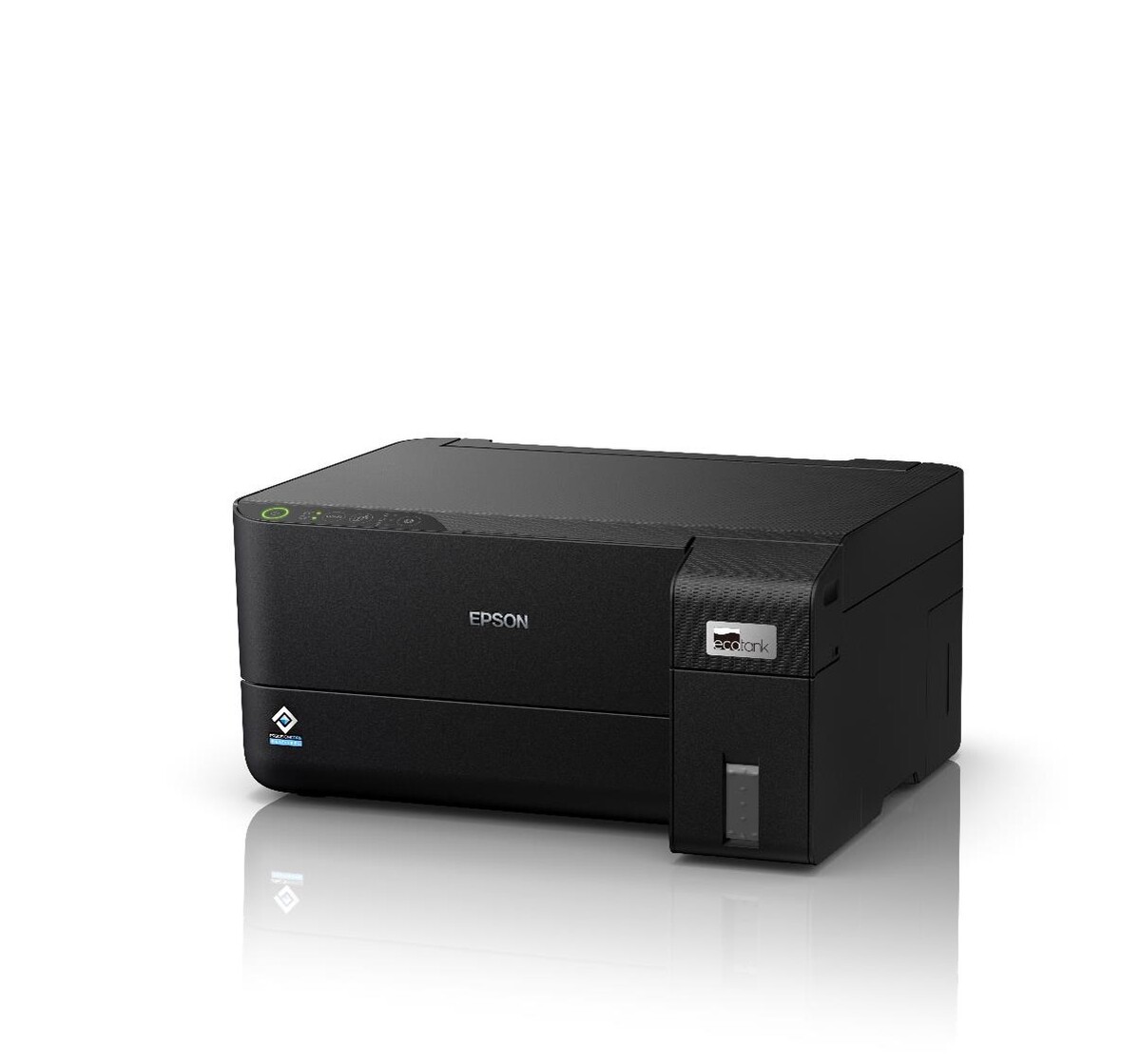
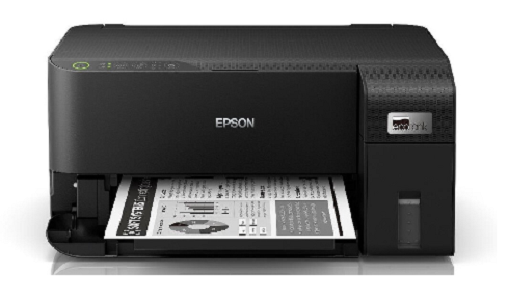
The Epson EcoTank M1050 features a compact black exterior with an integrated front-facing ink tank.
Its approximate dimensions are 375 × 347 × 179 mm, allowing it to fit conveniently on suitable office desks, study tables and reception counters.
Weighing approximately 3.4 kg, the printer is relatively lightweight compared with many larger office multifunction machines.
Its compact construction makes it useful for spaces where a dedicated black-and-white printer is required.
The integrated ink tank allows users to monitor ink levels and conveniently perform supported refilling operations.
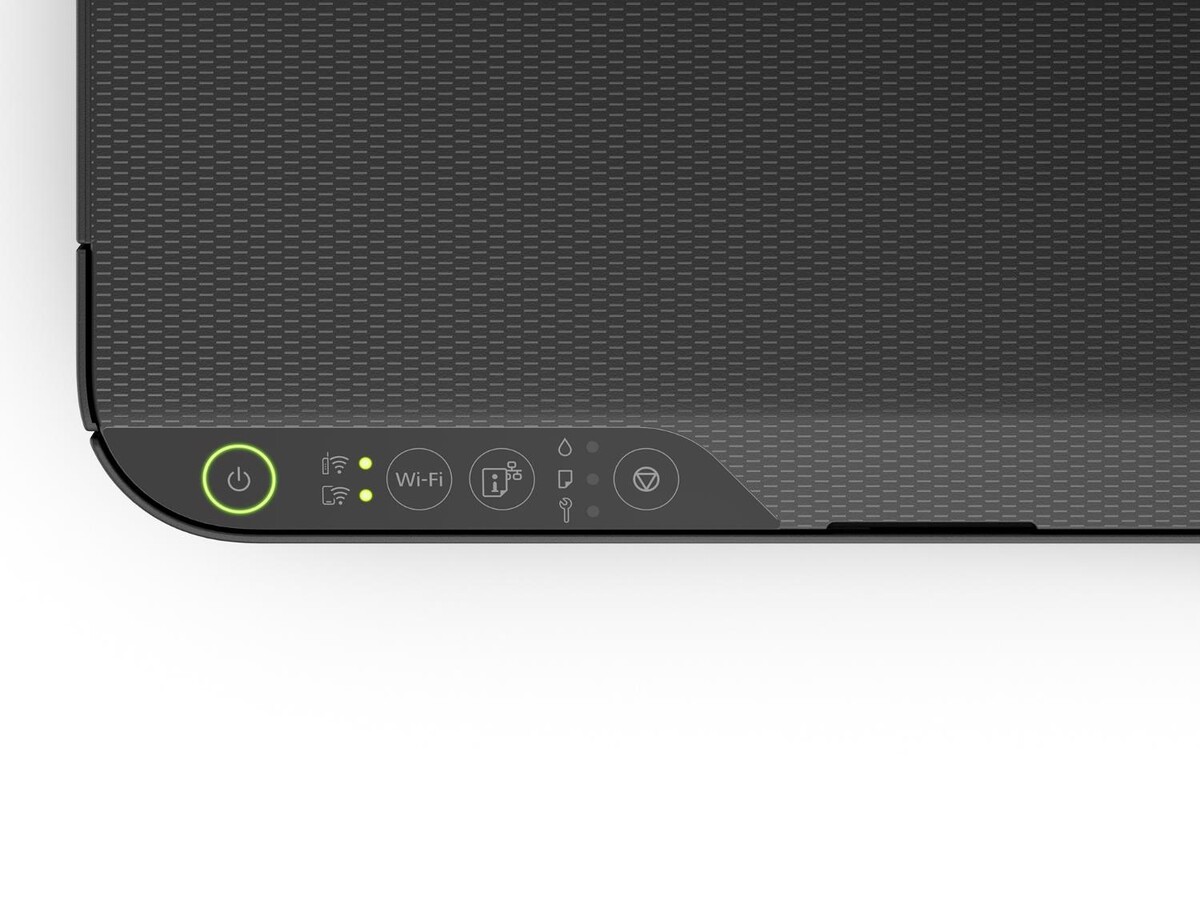
The printer uses physical control buttons and indicator lights instead of a colour LCD touchscreen.
Simple Ink Refilling with Genuine Epson Bottles
The Epson EcoTank M1050 uses a refillable ink tank system with a specially designed ink bottle nozzle.
The design helps simplify refilling and reduce accidental spills during routine ink replacement.
Users can monitor the remaining ink and refill the reservoir using the compatible genuine black ink bottle.
The printer uses only black pigment ink, making consumable management simpler than a four-colour printer.
Epson’s current Indian ink finder lists genuine T03Q black ink as a compatible replacement, while the model-specific brochure uses Epson 005 as its high-capacity ink designation.
Customers should confirm the exact orderable ink bottle code when purchasing replacement stock.
Replaceable Maintenance Box
The Epson EcoTank M1050 includes a user-replaceable maintenance box designed to collect waste ink generated during selected printer maintenance operations.
This replaceable component can help reduce the need for a service visit solely to replace a full maintenance box.
Epson’s December 2024 India brochure lists maintenance box C12C938741 for the M1050/M2050 series.
Users should verify the correct India-market replacement part number before ordering a maintenance box.
Following the printer’s recommended maintenance instructions helps maintain dependable operation.
An Efficient Alternative for Black-and-White Office Printing
The Epson EcoTank M1050 is designed for users who need frequent monochrome printing without requiring colour output.
Its refillable ink tank system reduces dependence on conventional disposable cartridges.
Epson’s Heat-Free Technology supports efficient operation with low rated printing power consumption.
The printer’s high-capacity black ink system also reduces the frequency of ink refilling.
These characteristics make it a practical alternative to other office printing technologies for suitable black-and-white workloads.
Businesses should compare expected monthly printing volume, consumable pricing and required printing features before selecting a printer.
Environmentally Considerate Construction
Epson incorporates recycled plastic into the construction of the EcoTank M1050.
According to the manufacturer, the M1050/M2050 series includes recycled plastic components and uses packaging containing recycled cardboard.
The replaceable maintenance box and refillable ink tank also support a design focused on reducing certain disposable consumables.
Epson’s Heat-Free Technology helps maintain relatively low energy consumption during operation.
These features can be useful for organisations considering resource consumption as part of printer procurement.
Ideal for Small Businesses and Professional Offices
The Epson EcoTank M1050 is suitable for customers requiring dependable black-and-white document printing.
Small businesses can use it for invoices, quotations, purchase orders, delivery challans and customer correspondence.
Accounting departments can print financial statements, reports, invoices and administrative paperwork.
Educational institutions can prepare worksheets, examination notes, study materials and black-and-white documents.
Professional offices can print forms, contracts, business letters, records and other routine paperwork.
Home users can print assignments, application forms, official documents and personal records.
Its wireless connectivity, Ethernet interface and high-yield black ink make it particularly useful for everyday office printing.
Epson EcoTank M1050 Warranty and Maintenance
The Epson EcoTank M1050 comes with a manufacturer’s warranty of one year or 50,000 prints, whichever occurs first, according to Epson India.
The warranty includes printhead coverage under Epson’s applicable terms and conditions.
The printer also features an accessible ink tank and replaceable maintenance box.
Using genuine Epson ink and following the manufacturer’s recommended maintenance procedures helps preserve dependable printing performance.
Customers should check Epson India’s warranty terms and service eligibility for their specific serial number.
Why Choose Epson EcoTank M1050?
The Epson EcoTank M1050 combines high-speed monochrome printing, wireless connectivity, refillable ink technology and compact construction.
Its PrecisionCore printhead delivers reliable black-and-white output, while its pigment ink system supports sharp document printing.
The high-capacity black ink bottle reduces frequent consumable replacement, and Ethernet connectivity makes the printer practical for shared office workspaces.
For customers who do not require colour printing, scanning, copying, faxing or automatic duplex printing, the M1050 offers a focused and economical printing solution.
For official product details, visit the Epson EcoTank M1050 manufacturer page.
To check genuine replacement ink, visit Epson M1050 compatible ink bottles.
Technical Specifications
| Specification | Details |
|---|---|
| Brand | Epson |
| Model | EcoTank M1050 |
| Manufacturer Part Number | C11CL01502 |
| Printer Colour | Black |
| Product Type | A4 Monochrome Single-Function Ink Tank |
| Functions | Print Only |
| Print Output | Black and White |
| Printing Technology | PrecisionCore Heat-Free Inkjet |
| Printhead Nozzles | 400 × 2 Black Nozzles |
| Printing Direction | Bi-Directional |
| Ink Technology | DURABrite ET Pigment |
| Number of Ink Colours | 1 – Black |
| Maximum Print Resolution | 1200 × 2400 dpi |
| Minimum Ink Droplet | 2.8 pl |
| Draft Print Speed (A4) | Up to 33 ppm Black |
| ISO Print Speed (A4) | Up to 18 ipm Black |
| Printer Language | ESC/P-R |
| Maximum Standard Print Size | A4 |
| Maximum Custom Paper Size | 215.9 × 1200 mm |
| Automatic Duplex Printing | No |
| Colour Printing | No |
| Scanner | No |
| Copying | No |
| Automatic Document Feeder | No |
| Fax | No |
| Paper Feed Method | Rear Feed |
| Number of Paper Trays | 1 |
| Paper Input Capacity | 100 Sheets A4 Plain Paper |
| Paper Output Capacity | 30 Sheets A4 Plain Paper |
| Supported Paper Sizes | A4, A5, A6, B5, B6, Letter, Legal, Indian Legal |
| Additional Supported Media | Selected photo sizes and envelopes |
| Supported Envelopes | #10, DL, C6 |
| Supported Paper Weight | 64–90 gsm |
| Print Margins | 3 mm on all sides through specified driver settings |
| USB Connectivity | USB 2.0 |
| Wi-Fi | Yes, IEEE 802.11b/g/n |
| Wi-Fi Direct | Yes |
| Ethernet | Yes |
| Network Protocols | TCP/IPv4, TCP/IPv6 |
| Network Printing | LPD, Port 9100, WSD |
| LCD Display | No |
| Control Panel | Physical Buttons and Indicators |
| Mobile Printing | Epson Smart Panel |
| Epson Connect | Email Print, Remote Print Driver |
| Chrome OS | Supported |
| Compatible Black Ink | Epson 005; T03Q listed by current ink finder |
| Standard Black Ink Yield | Up to 2,000 Pages (005S) |
| High-Capacity Black Ink Yield | Up to 6,000 Pages (005) |
| Maintenance Box | C12C938741 (India brochure) |
| Operating Power Consumption | Approx. 12 W |
| Standby Power | Approx. 5.8 W |
| Sleep Power | Approx. 0.7 W |
| Power Off | Approx. 0.2 W |
| Power Supply | AC 220–240 V, 50–60 Hz |
| Dimensions (W × D × H) | 375 × 347 × 179 mm |
| Weight | Approx. 3.4 kg |
| Warranty | 1 Year or 50,000 Prints |
Compatible Epson Ink Bottles
| Ink Colour | Ink Series | Part Number / Code | Stated Yield |
|---|---|---|---|
| Black | Epson 005 High Capacity | 005 (brochure designation) | Up to 6,000 pages |
| Black | Epson 005S Standard Capacity | 005S (product-page designation) | Up to 2,000 pages |
| Black | Epson T03Q High Capacity | C13T03Q198 | Confirm applicable replacement yield |




Reviews
Clear filtersThere are no reviews yet.