


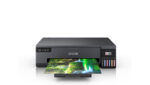
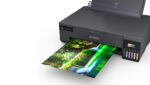


Epson EcoTank L18050 – Stunning A3+ Wi-Fi Six-Colour Ink Tank Photo Printer
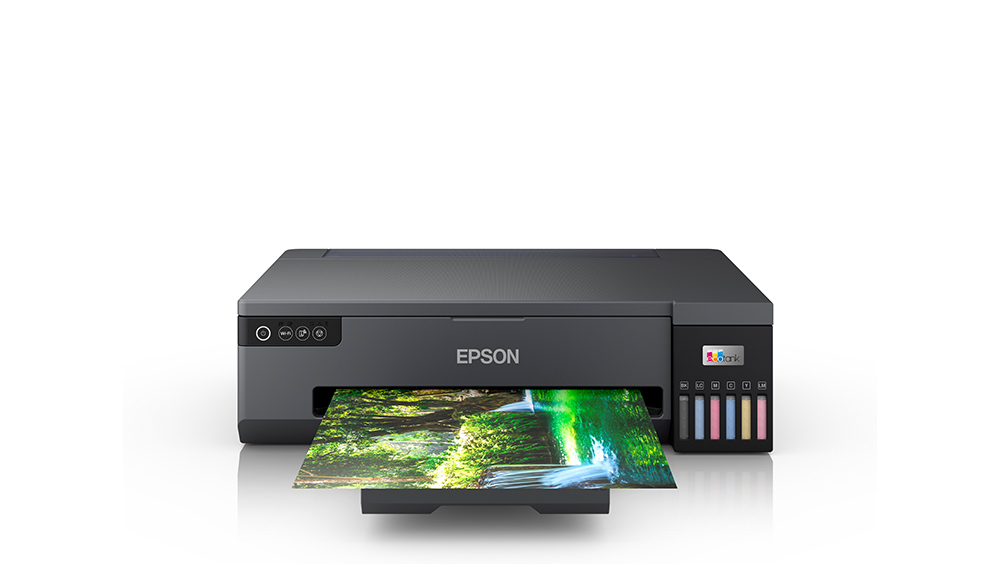
The Epson EcoTank L18050 A3+ Wi-Fi Ink Tank Photo Printer is a professional six-colour photo printer designed for photographers, photo studios, designers, creative professionals and businesses requiring vibrant large-format photographic printing.
Powered by Epson Micro Piezo Heat-Free Technology, the Epson EcoTank L18050 combines high-resolution colour printing, six refillable dye ink tanks, borderless A3+ printing and wireless connectivity in a compact design.
With a maximum printing resolution of 5760 × 1440 dpi, the printer produces detailed photographs, smooth colour gradients and vibrant images suitable for professional photographic applications.
The Epson EcoTank L18050 also supports printing on compatible inkjet-printable CDs/DVDs and specially coated PVC identification cards, making it a versatile machine for photo studios and personalised printing businesses.
Whether producing wedding photographs, large portraits, photographic portfolios, event pictures or creative artwork, the Epson EcoTank L18050 delivers a practical combination of quality, flexibility and economical ink management.
Professional A3+ Photo Printing with Epson EcoTank L18050
The Epson EcoTank L18050 is designed to produce detailed colour photographs on media sizes up to A3+.
A3+ photo printing provides a larger printing area than conventional A4 printers, making it particularly useful for professional portraits, large photographic compositions and creative presentation material.
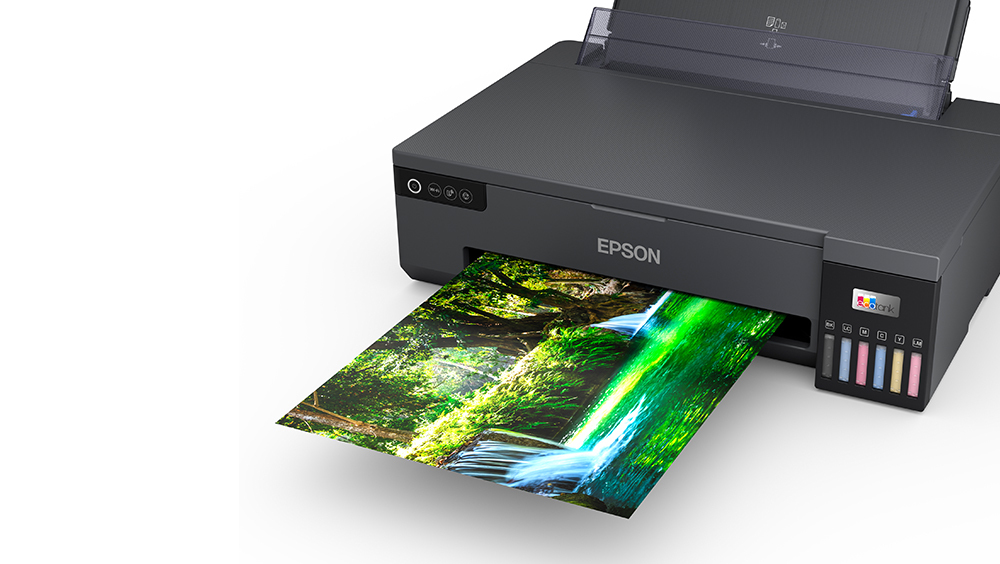
The printer supports borderless A3+ output, allowing compatible images to extend to the edges of the photographic paper.
This helps create clean, professional-looking prints suitable for display, framing and photographic portfolios.
Photographers can use the Epson EcoTank L18050 to print portraits, wedding photographs, landscapes, architectural images and promotional photographs.
Its large-format printing capability makes it a practical choice for creative professionals who require prints larger than standard A4.
Stunning Six-Colour Dye Ink Printing
The Epson EcoTank L18050 uses a six-colour dye ink system designed to produce vibrant photographic images.
The six inks are Black, Cyan, Magenta, Yellow, Light Cyan and Light Magenta.
The addition of Light Cyan and Light Magenta helps reproduce subtle shades, delicate colour gradients and natural-looking skin tones.
These additional colours are particularly valuable when printing portraits and photographs containing detailed transitions between light and dark areas.
The six-colour configuration helps reduce visible tonal banding and supports smooth reproduction on suitable photographic paper.
For professional photographers and businesses prioritising photographic output, the Epson EcoTank L18050 offers advantages over basic four-colour office inkjet printers.
High-Resolution 5760 × 1440 dpi Photo Printing
The Epson EcoTank L18050 features a maximum print resolution of 5760 × 1440 dpi.
This high resolution supports fine image details, detailed textures and smooth colour reproduction.
Epson Variable-Sized Droplet Technology helps deliver accurate ink placement across different photographic areas.
Its minimum ink droplet size of approximately 1.5 picolitres supports the reproduction of small details and gradual colour transitions.
The printer is suitable for high-quality portraits, landscapes, photo albums, artwork samples and visual presentations.
Actual print quality depends on image resolution, colour management, selected photo paper and print settings.
For best results, customers should use compatible photographic paper and high-quality source images.
Fast A4 and A3 Document Printing
In addition to photographic output, the Epson EcoTank L18050 can print everyday colour documents and graphic designs.
The manufacturer specifies maximum draft A4 speeds of up to 22 pages per minute for both black and colour printing.
Under ISO 24734 testing conditions, the Epson EcoTank L18050 produces up to 8 images per minute for A4 single-sided documents.
For larger A3 documents, its ISO print speed is approximately 3 ipm for black and colour.
These speeds make it suitable for creative presentations, colour graphics, reports and artwork previews.
Actual printing speeds vary depending on document complexity, software, paper size and selected quality settings.
The L18050 is primarily a photo printer and should not be compared with high-speed office printers solely on draft printing figures.
Borderless 4 × 6-Inch Photo Printing
The Epson EcoTank L18050 supports printing photographs in the popular 4 × 6-inch (10 × 15 cm) format.
Under Epson’s specified default photo settings, it can produce a bordered or borderless 4R photograph in approximately 27 seconds.
This makes it suitable for event photography, family pictures, birthday photographs and small-format studio printing.
The ability to print photographs efficiently is particularly useful for businesses producing multiple photographic copies.
Borderless printing creates an image that reaches the edges of compatible paper without an ordinary white margin.
Actual printing time depends on image complexity, paper type, print mode and connected device performance.
Borderless A4 Photo Printing
The Epson EcoTank L18050 can also produce borderless A4 photographs.
This format is useful for portraits, photographic portfolios, creative artwork and selected advertising visuals.
According to Epson’s technical specifications, A4 photographs take approximately 65 seconds under its default photo-printing conditions.
The printer supports both bordered and borderless A4 printing.
For photo studios, A4 output provides a practical intermediate size between small 4R photographs and larger A3 prints.
Customers should choose suitable glossy, semi-gloss or other supported inkjet photo media for the required finish.
A3 Photo Printing for Larger Photographs
One of the main strengths of the Epson EcoTank L18050 is its larger-format A3 printing capability.
The printer can produce an A3 photograph in approximately 110 seconds with borders or 115 seconds borderless under Epson’s specified test settings.
A3 photographs provide more visual space for detailed portraits, landscapes, group photographs and creative artwork.
This makes the printer useful for photo studios, professional photographers and designers.
Large-format prints can be used for framing, presentations, portfolios and decorative displays.
For users who regularly require A3 or A3+ photographs, the Epson EcoTank L18050 offers a meaningful advantage over A4-only photo printers.
Epson Micro Piezo Heat-Free Technology
The Epson EcoTank L18050 incorporates Epson Micro Piezo Heat-Free Technology.
This inkjet printing system uses mechanical pressure to eject ink droplets rather than requiring heat during the ink ejection process.
The printer includes 180 black nozzles and 180 nozzles for each of its five colour inks.
Its bidirectional printing capability helps support efficient photographic output.
Epson Heat-Free Technology is designed to provide precise printing while maintaining efficient power consumption.
The manufacturer specifies approximately 19 W operating power consumption under its reference conditions.
For photo studios and creative businesses, this technology provides a reliable foundation for regular colour printing.
Six High-Capacity Refillable Ink Tanks
The Epson EcoTank L18050 features six individual refillable ink tanks.
Unlike cartridge-based photo printers, the EcoTank system allows users to replenish each ink colour using the appropriate genuine Epson ink bottle.
Its integrated design keeps the ink tanks within the printer body.
The front-facing ink reservoirs allow users to monitor remaining ink levels conveniently.
Separate colour bottles help businesses purchase and manage individual ink colours according to their usage.
Epson’s specialised bottle nozzle design helps reduce accidental spills and refilling errors.
For customers producing photographs regularly, this refillable ink system makes ongoing consumable management more convenient.
Genuine Epson T09D / 057 Photo Ink Bottles
The Epson EcoTank L18050 uses genuine Epson T09D / 057 six-colour dye ink bottles.
The compatible colours are Black, Cyan, Magenta, Yellow, Light Cyan and Light Magenta.
Epson India’s ink finder identifies the specific T09D replacement bottle part number for each colour.
These inks are formulated for compatible EcoTank photo printers and help reproduce vibrant colours and smooth tonal gradients.
Customers should avoid using ordinary office ink bottles or pigment ink bottles intended for unrelated models.
Correct ink compatibility is important for print quality and reliable printer operation.
Economical High-Yield Photo Printing
The Epson EcoTank L18050 is designed for customers who regularly produce photographic prints.
Epson’s current India product information advertises a colour composite photo yield of up to 2,100 borderless 4R photographs under its stated testing conditions.
Its technical brochure also provides an estimated composite colour-document yield of up to 7,200 pages.
The black ink bottle has a separately published document-page yield and photo-specific yield.
These measurements are based on different test patterns and should not be considered interchangeable.
Actual photo yield depends on image composition, ink coverage, paper type, print mode and maintenance.
For photo studios calculating production costs, using current genuine ink prices together with actual photographic workloads provides a more realistic estimate than relying on a single published yield.
Direct CD and DVD Surface Printing
The Epson EcoTank L18050 supports direct printing on compatible inkjet-printable CDs and DVDs.
This allows users to create personalised disc surfaces featuring photographs, titles, logos and decorative graphics.
Photographers can use the feature for wedding photography collections, event media and personalised photo packages.
Businesses can also prepare branded presentation discs and other suitable optical media.
The printer uses a compatible disc-printing tray and appropriate software.
Only discs designed for inkjet surface printing should be used.
The printer does not write digital data onto discs; it prints artwork on the coated surface.
Compatible PVC ID Card Printing
The Epson EcoTank L18050 supports direct printing on compatible PVC identification cards.
This capability can be useful for businesses preparing employee identity cards, student identification cards, membership cards and event passes.
It supports suitable cards with dimensions of approximately 54 × 86 mm.
The printer requires a compatible card-printing tray and specially coated inkjet-printable PVC cards.
Ordinary uncoated plastic cards should not be assumed compatible.
Users should select the recommended driver settings and ensure that the printing surface is suitable for Epson dye ink.
For small personalised printing businesses, this feature adds versatility beyond photo-paper printing.
Wireless Printing with Built-In Wi-Fi
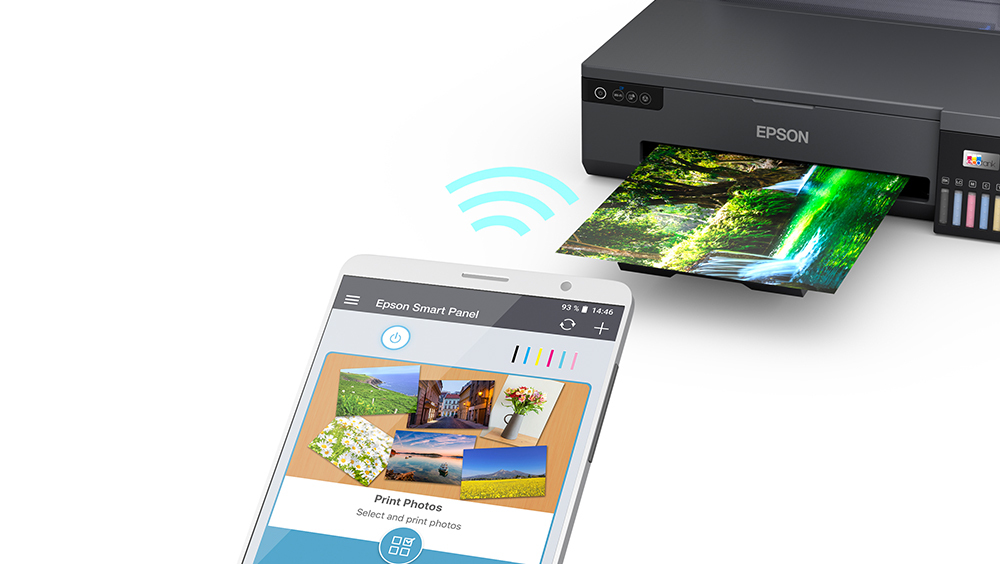
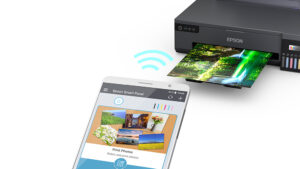
The Epson EcoTank L18050 includes built-in Wi-Fi connectivity.
Users can connect the printer to a compatible wireless network and send photographs from supported computers, laptops, smartphones and tablets.
Wireless printing is useful for photography studios where images are stored or edited on different devices.
The printer supports IEEE 802.11b/g/n wireless networking.
It can be positioned in a suitable shared printing area without requiring a permanent direct USB connection to one workstation.
Wireless performance depends on network conditions, device compatibility and software configuration.
Wi-Fi Direct for Router-Free Printing
The Epson EcoTank L18050 also supports Wi-Fi Direct.
This feature allows compatible devices to establish a direct wireless connection with the printer without using a separate Wi-Fi router.
For photographers working on-site or in temporary studios, Wi-Fi Direct provides additional printing flexibility.
Users can send supported photographs from compatible smartphones and computers.
The feature is particularly convenient when a conventional wireless network is unavailable.
Suitable mobile printing applications and the correct device configuration may be required.
Epson Smart Panel for Mobile Printer Control
The Epson EcoTank L18050 supports the Epson Smart Panel application.
This app enables users to access supported printer configuration, status monitoring and maintenance functions from compatible smartphones and tablets.
Epson Smart Panel can help users configure wireless connections, check ink levels and perform selected printhead maintenance tasks.
The application also provides convenient access to supported printing workflows.
For customers who prefer controlling their printer using a smartphone, Epson Smart Panel helps simplify everyday operation.
Available features depend on the mobile operating system and app version.
Epson iPrint and Cloud Printing
The Epson EcoTank L18050 supports Epson iPrint for compatible mobile devices.
Users can print supported photographs and documents over an appropriate wireless connection.
The printer also supports Epson Email Print and Remote Print Driver through Epson Connect.
These features provide additional flexibility for printing from compatible remote devices.
An internet connection, appropriate registration and supported software may be required.
Customers should not assume that every third-party mobile printing technology is supported without checking Epson’s current compatibility documentation.
USB 2.0 Connectivity
The Epson EcoTank L18050 provides USB 2.0 connectivity for direct computer printing.
Users can connect the printer to a compatible desktop computer or laptop using a suitable USB printer cable.
This provides a straightforward alternative to wireless networking.
USB printing is useful for photo studios where the printer is connected to a dedicated image-editing workstation.
The correct Epson printer driver should be installed for the operating system.
The printer does not have a built-in Ethernet interface.
It also does not provide a standalone SD card slot or a direct USB flash-drive photo-printing interface.
100-Sheet A4 Paper Input Capacity
The Epson EcoTank L18050 features a single paper-feed system for compatible document and photographic media.
Epson’s user guide specifies capacity for up to 100 sheets of A4 plain paper at the supported weight.
For A3 and A3+ plain paper, the guide specifies lower loading quantities.
This makes the printer suitable for everyday creative printing as well as photographic production.
The paper capacity depends on media dimensions, thickness and paper type.
Users should follow the manufacturer’s loading recommendations rather than treating all supported paper sizes as having the same capacity.
A3+ Paper Handling for Photo Studios
The Epson EcoTank L18050 supports a wide range of popular photographic paper sizes.
These include A3+, A3, A4, A5, A6, B4, B5, B6, 4 × 6 inches, 5 × 7 inches and 8 × 10 inches.
It also supports selected envelopes and custom paper sizes.
The larger A3+ capacity is particularly useful for photo studios, designers and customers preparing artwork.
The printer supports certain custom paper dimensions up to approximately 329 × 2000 mm through the appropriate settings.
Media feeding capacity varies with paper type, and thicker photo paper may require significantly smaller batches.
Compact A3+ Photo Printer Design
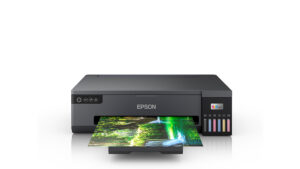
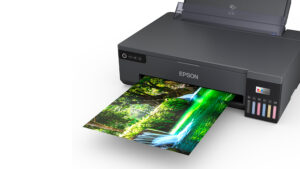
The Epson EcoTank L18050 features a professional black body with integrated refillable ink tanks.
Its dimensions are approximately 523 × 369 × 150 mm.
The printer weighs approximately 8 kg.
Despite supporting A3+ photo printing, its relatively low-profile body is convenient for installation on a suitably sized desk or print station.
The front ink tank windows help users check ink levels.
Its minimal design is suitable for photo studios, creative workspaces, design offices and professional printing environments.
Adequate space should be provided for feeding A3+ sheets and collecting printed photographs.
Replaceable Maintenance Box
The Epson EcoTank L18050 uses a replaceable maintenance box.
The compatible Epson maintenance box is identified by part number C12C934591.
The maintenance box collects waste ink generated during selected cleaning and maintenance operations.
When the printer indicates that replacement is required, users should follow Epson’s official instructions.
The maintenance box is a separate consumable from the six photo ink bottles.
Businesses should consider its availability when planning long-term photo-printing operations.
Replaceable Pickup Roller
The Epson EcoTank L18050 also supports a replaceable paper pickup roller.
Epson’s user guide identifies C12C937781 for India and specified neighbouring countries.
This is different from the C12C937771 code commonly listed in some international brochures and consumables catalogues.
The pickup roller helps feed paper through the printer.
If paper-feeding issues persist after recommended cleaning, replacement may be necessary.
Customers should confirm the locally supplied replacement component with Epson India before ordering.
Ideal for Professional Photography Studios
The Epson EcoTank L18050 is suitable for photo studios requiring detailed large-format colour photographs.
Its six-colour dye ink system helps reproduce smooth gradients and vibrant colours.
The borderless A3+ printing capability is especially useful for wedding portraits, family pictures, group photographs and professional photographic projects.
The refillable ink system supports regular printing without conventional cartridge replacement.
Studios can use the printer to produce multiple common photo sizes alongside larger A3 prints.
Customers should select suitable paper and colour-management settings for consistent photographic results.
Useful for Creative Designers and Artwork Printing
Creative professionals can use the Epson EcoTank L18050 to print artwork samples, design concepts, visual presentations and illustrative graphics.
Its A3+ printing capability provides additional space for larger layouts.
The six-colour dye ink system is especially suitable for designs containing photographs, tonal gradients and colourful artwork.
The printer can also produce suitable promotional material and portfolio prints on compatible paper.
For applications requiring colour-critical output, customers should consider proper display calibration, paper profiles and print settings.
Epson EcoTank L18050 vs L8050
The Epson EcoTank L18050 and L8050 are closely related six-colour photo printers.
Both feature Micro Piezo Heat-Free Technology, refillable T09D ink tanks, 5760 × 1440 dpi printing resolution, Wi-Fi and Wi-Fi Direct.
Both support compatible CD/DVD and PVC ID card printing.
The key difference is paper size.
The Epson L8050 supports borderless printing up to A4.
The Epson L18050 supports borderless printing up to A3+.
The L18050 is therefore better suited to customers who regularly print larger portraits, posters, artwork and photographic presentations.
Epson EcoTank L18050 vs L8100
The Epson EcoTank L18050 and L8100 serve different photo-printing requirements.
The L18050 is a single-function A3+ photo printer designed for larger photographic output.
The L8100 is an A4 multifunction photo printer that combines printing, scanning and copying.
Both models use six-colour dye ink, Wi-Fi and compatible photo-printing media.
Customers who need large-format A3+ printing should consider the L18050.
Customers who primarily print A4 photographs and also require scanning and copying may prefer the L8100.
Epson EcoTank L18050 vs L8180
The Epson EcoTank L18050 and L8180 both support larger-format photographic printing.
The L18050 is a dedicated six-colour dye ink photo printer focused on printing photographs and creative designs.
The L8180 is a multifunction photo printer with scanning, copying and additional paper-handling features.
Their ink formulations and ink bottle series are different, so customers should not assume that their consumables are interchangeable.
The L18050 is suitable for customers who need dedicated A3+ photo printing.
The L8180 may be more appropriate for customers who want larger-format photo output alongside additional multifunction capabilities.
Epson EcoTank L18050 Warranty
Epson India’s current product page specifies a manufacturer’s warranty of one year or 50,000 prints, whichever comes first.
The warranty includes printhead coverage subject to the applicable manufacturer terms and conditions.
Warranty promotions and coverage can differ across markets.
Customers purchasing an India-market unit should rely on the warranty applicable to that unit and its serial number rather than international promotional brochures.
Retaining the purchase invoice and following Epson’s maintenance recommendations can help ensure the warranty process is straightforward.
Why Choose Epson EcoTank L18050?
The Epson EcoTank L18050 combines vibrant six-colour photographic output, high print resolution, A3+ borderless printing and convenient refillable ink tanks.
Its 5760 × 1440 dpi resolution helps produce detailed photographs and artwork.
Wi-Fi, Wi-Fi Direct and Epson Smart Panel provide flexible printer access and operation.
Compatible CD/DVD and PVC ID card printing add versatility for creative and personalised printing businesses.
The printer’s compact A3+ design makes it suitable for photographers and photo studios seeking economical large-format photographic printing.
For official product information, visit the Epson EcoTank L18050 manufacturer product page.
For replacement ink, review the official Epson L18050 ink compatibility page.
Technical Specifications
| Specification | Details |
|---|---|
| Brand | Epson |
| Series | EcoTank |
| Model | L18050 |
| Manufacturer Part Number | C11CK38503 |
| Suggested Seller SKU | EPSON-L18050-A3PLUS-WIFI-PHOTO |
| Product Type | A3+ Six-Colour Ink Tank Photo Printer |
| Functions | Print Only |
| Print Output | Colour and Black & White |
| Printer Colour | Black |
| Printing Technology | Epson Micro Piezo Heat-Free Inkjet |
| Ink Technology | Dye-Based Photo Ink |
| Number of Ink Colours | 6 |
| Ink Colours | Black, Cyan, Magenta, Yellow, Light Cyan, Light Magenta |
| Black Printhead Nozzles | 180 |
| Colour Nozzles | 180 per Colour |
| Printing Direction | Bidirectional |
| Maximum Print Resolution | 5760 × 1440 dpi |
| Minimum Ink Droplet | 1.5 pl |
| A4 Draft Speed – Black | Up to 22 ppm |
| A4 Draft Speed – Colour | Up to 22 ppm |
| ISO A4 Speed – Black | Up to 8 ipm |
| ISO A4 Speed – Colour | Up to 8 ipm |
| ISO A3 Speed – Black | Up to 3 ipm |
| ISO A3 Speed – Colour | Up to 3 ipm |
| First Page Output – Black | Approximately 14 seconds |
| First Page Output – Colour | Approximately 14 seconds |
| 4 × 6-Inch Photo – Bordered | Approximately 27 seconds |
| 4 × 6-Inch Photo – Borderless | Approximately 27 seconds |
| A4 Photo – Bordered | Approximately 65 seconds |
| A4 Photo – Borderless | Approximately 65 seconds |
| A3 Photo – Bordered | Approximately 110 seconds |
| A3 Photo – Borderless | Approximately 115 seconds |
| Printer Languages | ESC/P-R, ESC/P Raster |
| Maximum Standard Print Size | A3+ |
| Maximum Custom Paper Size | 329 × 2000 mm, per user guide |
| Borderless Printing | Yes, up to A3+ |
| Automatic Duplex Printing | No |
| Manual Two-Sided Printing | Subject to supported driver and manual paper handling |
| CD/DVD Surface Printing | Yes |
| PVC ID Card Printing | Yes |
| Compatible PVC Card Size | 54 × 86 mm |
| Special Media | Inkjet-printable discs and compatible coated PVC cards |
| Paper Feed Method | Friction Feed |
| Number of Paper Trays | 1 |
| Plain Paper Input – A4 | Up to 100 sheets |
| Plain Paper Input – A3 / A3+ | Up to 50 sheets, per user guide |
| Glossy Photo Paper Input – A3 / A3+ | Up to 10 sheets for specified Epson Photo Paper Glossy |
| Glossy Photo Paper Input – A4 / 4R | Up to 20 sheets for specified Epson Photo Paper Glossy |
| User-Defined Media Input | 1 sheet |
| A3 Plain Paper Output | Up to 100 sheets, brochure rating |
| Premium Glossy Photo Output | Up to 30 sheets, brochure rating |
| Supported Paper Sizes | A3+, A3, A4, A5, A6, B4, B5, B6 |
| Other Standard Paper Sizes | Letter, Legal, Indian Legal, 8K, 16K, 8.5 × 13-inch |
| Photo Paper Sizes | 3.5 × 5, 4 × 6, 5 × 7, 8 × 10 inches, 16:9 Wide |
| Supported Envelopes | #10, DL, C6, C4 |
| Standard Print Margins | 3 mm, unless supported borderless settings selected |
| USB Connectivity | USB 2.0 |
| Wi-Fi | IEEE 802.11b/g/n |
| Wi-Fi Direct | Yes |
| Ethernet | No |
| Network Protocols | TCP/IPv4, TCP/IPv6 |
| Network Management | SNMP, HTTP, DHCP, APIPA, DDNS, mDNS, SLP, WSD, LLTD |
| Epson Connect | Epson iPrint, Email Print, Remote Print Driver |
| Mobile Application | Epson Smart Panel |
| Scanner | No |
| Copy Function | No |
| Fax | No |
| ADF | No |
| LCD Display | No |
| Direct SD Card Printing | No |
| Direct USB Flash Drive Printing | No |
| Refillable Ink Tank | Yes, Six Colours |
| Compatible Ink Series – India | Epson T09D / 057 |
| Black Ink Code | C13T09D198 |
| Cyan Ink Code | C13T09D298 |
| Magenta Ink Code | C13T09D398 |
| Yellow Ink Code | C13T09D498 |
| Light Cyan Ink Code | C13T09D598 |
| Light Magenta Ink Code | C13T09D698 |
| Black Document Page Yield | Up to 3,000 pages, current Epson India listing |
| Colour Document Page Yield | Up to 7,200 pages, composite |
| Colour 4R Photo Yield | Up to 2,100 photos, composite |
| Maintenance Box | C12C934591 |
| Pickup Roller – India | C12C937781 |
| Operating Power Consumption | Approximately 19 W |
| Standby Power | Approximately 4.4 W |
| Sleep Power | Approximately 0.6 W |
| Power Off Consumption | Approximately 0.2 W |
| Rated Voltage | AC 220–240 V |
| Rated Frequency | 50–60 Hz |
| Best Photo Sound Pressure | Approximately 40 dB(A) |
| Dimensions (W × D × H) | 523 × 369 × 150 mm |
| Weight | Approximately 8 kg |
| Warranty – India | 1 Year or 50,000 Prints, whichever comes first |


Reviews
Clear filtersThere are no reviews yet.