








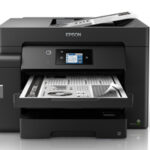

Epson EcoTank M15180 – Powerful A3 Wi-Fi Duplex Monochrome All-in-One Printer
The Epson EcoTank M15180 A3 Wi-Fi Duplex Monochrome All-in-One Ink Tank Printer is an advanced business printing solution designed for corporate offices, accounting firms, educational institutions, commercial organisations and departments requiring high-volume black-and-white document printing.
Equipped with Epson PrecisionCore Heat-Free Technology, automatic duplex printing, a 50-sheet duplex Automatic Document Feeder, A3 colour scanning and business-oriented printer management features, the Epson EcoTank M15180 delivers fast and professional monochrome printing with economical running costs.
The printer combines printing, scanning and copying in one versatile machine. Its large 4.3-inch colour touchscreen, wireless networking, Ethernet connectivity, dual 250-sheet paper cassettes and high-yield black pigment ink make it suitable for demanding business environments.
For organisations requiring A3 document handling, secure printer access and flexible connectivity, the Epson EcoTank M15180 provides a comprehensive multifunction office solution.
Professional A3+ Printing with Epson EcoTank M15180
The Epson EcoTank M15180 is designed for high-quality black-and-white document printing on media sizes up to A3+.
Its maximum printing resolution of 4800 × 2400 dpi supports detailed text reproduction and clear monochrome graphics.
The printer is suitable for financial statements, business reports, detailed tables, large-format forms, office correspondence and selected technical documents.
It uses Epson DURABrite ET pigment black ink, which produces sharp text with water-resistant and smudge-resistant characteristics on suitable paper.
This makes the M15180 practical for business documents that need to remain readable during everyday handling.
For organisations requiring larger layouts than standard A4 printers can produce, A3+ printing provides additional flexibility.
High-Speed Printing with PrecisionCore Technology
The Epson EcoTank M15180 features Epson PrecisionCore Heat-Free Technology, designed to provide efficient printing with clear, consistent monochrome output.
It achieves maximum A4 draft speeds of up to 32 pages per minute.
Under ISO 24734 testing conditions, the printer offers up to 25 images per minute for A4 single-sided printing.
For A4 double-sided printing, Epson’s detailed specifications identify speeds of up to 16 ipm.
For larger A3 documents, the printer delivers up to 13.5 ipm simplex and 10 ipm duplex.
Its first page output time is approximately 5.5 seconds for A4 simplex printing.
These capabilities make the printer suitable for busy departments producing invoices, financial reports, administrative records and other text-heavy documents throughout the day.
Actual speeds depend on printing mode, paper size, document complexity, software and network conditions.
Automatic A3 Duplex Printing
A key feature of the Epson EcoTank M15180 is its built-in automatic duplex printing capability.
The printer supports automatic two-sided printing on compatible paper sizes up to A3.
This is particularly useful for organisations printing lengthy reports, financial records, contracts, office manuals and business documentation.
Automatic duplex printing reduces the need to manually turn paper and helps limit unnecessary paper consumption.
For standard A4 documents, duplex speeds reach up to 16 ipm under Epson’s ISO test conditions.
For A3 documents, duplex printing speeds reach up to 10 ipm.
The printer supports A3+ single-sided printing, while automatic duplex functionality is available up to A3.
This distinction is important for customers preparing procurement specifications or printing large-format double-sided documents.
50-Sheet Duplex Automatic Document Feeder
The Epson EcoTank M15180 includes a 50-sheet Automatic Document Feeder (ADF) designed for convenient batch scanning and copying.
The feeder supports automatic two-sided scanning, allowing users to capture both sides of compatible originals without manually turning each sheet.
Its double-pass duplex mechanism helps reduce repetitive handling when digitising contracts, reports, invoices and administrative documents.
The feeder supports suitable A3-size originals and compatible paper weights of approximately 64–95 gsm.
For businesses converting large quantities of paperwork into digital records, the ADF provides a valuable productivity advantage.
It is particularly useful in accounting departments, administrative offices and organisations handling multi-page business documents.
High-Resolution A3 Colour Scanning
Although the Epson EcoTank M15180 prints in black and white only, it includes a colour CIS flatbed scanner.
The scanner provides an optical resolution of 1200 × 2400 dpi.
Its maximum flatbed scanning area is approximately 297 × 431.8 mm, accommodating A3 and Ledger-class documents.
This makes the printer suitable for scanning large financial statements, forms, invoices, photographs, drawings and other records.
Users can digitise compatible documents in colour, grayscale or monochrome.
Colour scanning is especially useful when digital records need to preserve coloured stamps, highlights, logos and graphics.
The combination of an A3-capable flatbed and duplex ADF provides useful flexibility for individual and multi-page scanning workflows.
Fast Simplex and Duplex Document Scanning
The Epson EcoTank M15180 is designed for efficient document scanning in professional office environments.
Under Epson’s specified 200 dpi conditions, the ADF offers monochrome simplex scanning speeds of up to 26 ipm.
For monochrome duplex scanning, the speed reaches up to 11.5 ipm.
Colour scanning speeds reach up to 9 ipm simplex and 6 ipm duplex.
The flatbed scanner captures A4 monochrome originals in approximately five seconds and colour originals in approximately ten seconds under the manufacturer’s reference settings.
These capabilities help reduce the time required for digitising business records.
Actual scanning speed depends on resolution, document size, connection, software and workflow settings.
Convenient Standalone A3 Photocopying
The Epson EcoTank M15180 supports standalone photocopying without requiring a connected computer.
Its maximum copy size is A3.
For A4 monochrome copying, the flatbed supports speeds of up to 23 ipm under ISO testing conditions.
Through the ADF, it delivers up to 22.5 ipm for simplex copying and 15.5 ipm for duplex copying.
The printer supports up to 999 copies in a standalone copying operation.
Users can reduce or enlarge documents from 25% to 400%, with an automatic fit function available for compatible jobs.
These capabilities are useful for offices preparing multiple copies of contracts, financial records, reports, forms and training material.
Epson Open Platform for Business Integration
One of the distinguishing features of the Epson EcoTank M15180 is support for Epson Open Platform.
This functionality enables integration with compatible business print-management and document-workflow systems.
Organisations can use Epson Open Platform with supported Epson Print Admin solutions and compatible third-party applications.
This is particularly valuable for businesses requiring centralised printing policies, access management and document handling.
The platform can help administrators deploy supported workflows across shared office printing environments.
Integration requirements depend on the organisation’s software, network infrastructure and any applicable licensing.
Businesses should confirm compatibility with their exact print-management application before procurement.
Printer Authentication and Security Features
The Epson EcoTank M15180 provides business-oriented access and security controls.
Epson’s manufacturer specifications identify access limitation functions, PIN authentication, LDAP address book support, IP address filtering and administrator panel controls.
These features can help businesses manage access to shared printing functions.
They are particularly relevant in corporate offices where printing equipment is used by multiple departments.
Security settings should be configured by an authorised administrator according to the organisation’s requirements.
The availability of specific authentication workflows may depend on the installed software and print-management configuration.
For organisations requiring controlled printer access, the Epson M15180 offers capabilities beyond basic home-office printing.
PCL, PostScript and PDF Printing Support
The Epson EcoTank M15180 is designed for professional environments that may require compatibility with business printing software.
Epson’s July 2025 India technical brochure lists ESC/P-R and emulation support for PCL5, PCL6, PostScript3 and PDF 1.7 for this printer series.
These printer languages can be useful for compatible enterprise applications, business management systems and specialised document workflows.
Support for multiple printer languages provides flexibility where organisations use varied printing software.
Customers purchasing against a formal tender should confirm the exact printer-language implementation and driver compatibility with Epson for their required application and operating system.
Economical Printing with High-Yield Pigment Black Ink
The Epson EcoTank M15180 features an integrated refillable black ink tank designed to reduce everyday printing expenses.
Instead of using conventional disposable toner cartridges, the printer uses genuine Epson pigment black ink supplied in a compatible high-yield bottle.
Epson India’s official ink compatibility finder identifies T06G pigment black ink, part number C13T06G198.
The replacement ink belongs to the Epson 008 ink family used with compatible larger-format EcoTank printers.
Epson India’s current M15180 product page advertises a high replacement ink yield of up to 7,500 pages under its stated testing conditions.
Actual ink yield depends on document coverage, printing frequency, settings and ink consumption during maintenance.
For businesses printing frequent black-and-white documents, the refillable ink system helps reduce the need for frequent consumable replacement.
Low-Cost Monochrome Business Printing
The Epson EcoTank M15180 is designed for organisations seeking economical black-and-white document printing.
Epson India advertises a printing cost starting from approximately 15 paise per black page, calculated under its stated conditions.
This can be attractive for offices that regularly print reports, financial statements, invoices, purchase orders and administrative paperwork.
The high-yield black ink system helps manage recurring consumable purchases.
Automatic duplex printing can also help reduce paper consumption.
Actual running costs depend on replacement ink prices, paper size, printed page coverage, maintenance requirements and usage patterns.
Businesses should calculate their expected cost per page using current consumable pricing and their own monthly printing volume.
Epson DURABrite ET Pigment Ink
The Epson EcoTank M15180 uses DURABrite ET pigment black ink designed for professional text and monochrome graphics.
The formulation produces sharp documents with useful resistance to water and smudging on suitable paper.
This is particularly helpful for financial records, reports, contracts and other documents handled frequently.
Its pigment ink also supports clear reproduction of tables, charts, forms and suitable barcode documents.
Because the printer uses only black printing ink, there is no need to maintain additional cyan, magenta and yellow ink reservoirs.
This simplifies consumable management for offices focused on black-and-white printing.
Epson PrecisionCore Heat-Free Technology
The Epson EcoTank M15180 uses Epson PrecisionCore Heat-Free Technology.
Unlike thermal inkjet systems, the printer does not require heat during the ink ejection process.
Its Piezoelectric printhead uses mechanical pressure to eject ink droplets onto the paper.
The printer incorporates an 800-nozzle black PrecisionCore printhead designed for efficient document production.
The Heat-Free printing process supports relatively low power consumption for a high-capacity office printer.
According to Epson’s July 2025 brochure, the M15180 consumes approximately 21 W during operation.
Actual electricity usage depends on operating conditions and printing patterns.
Dual 250-Sheet Front Paper Cassettes
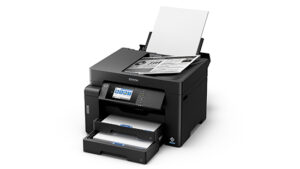
The Epson EcoTank M15180 features two front-loading paper cassettes.
Each cassette can accommodate up to 250 sheets of compatible 80 gsm plain paper, providing a combined front capacity of 500 sheets.
This is useful for businesses handling regular printing workloads.
Offices can configure the paper cassettes for appropriate document sizes and paper types according to their requirements.
For organisations printing both A4 and A3 documents, multiple input sources help reduce frequent paper changes.
The larger paper capacity makes the printer particularly suitable for commercial and administrative workspaces.
50-Sheet Rear Feeder
In addition to its two front cassettes, the Epson EcoTank M15180 includes a rear feeder supporting up to 50 sheets of compatible plain paper.
This provides an additional media source for selected printing requirements.
Users can load compatible alternate paper sizes or media through the rear feeder without changing the main cassette contents.
With both front cassettes and the rear feeder, the printer provides a total input capacity of up to 550 sheets.
The output tray accommodates up to 125 sheets.
This paper-handling arrangement helps support routine business printing and larger document jobs.
A3+ and A3 Paper Handling
The Epson EcoTank M15180 supports printing on media up to A3+.
The ability to print A3+ single-sided documents is useful for large tables, financial statements, reports and other oversized layouts.
Automatic duplex printing is supported up to A3 on compatible media.
The printer also supports standard business formats such as A4, A5, A6, B4, B5, Letter, Legal and selected envelopes.
Paper compatibility and loading capacity depend on the selected paper source and media type.
Customers should use Epson’s recommended paper settings and media specifications for reliable printing.
Wi-Fi Connectivity for Shared Offices
The Epson EcoTank M15180 includes built-in Wi-Fi networking.
Users can connect the printer to a compatible wireless network and access supported printing functions from desktops, laptops, smartphones and tablets.
Wireless connectivity makes it easier to position the printer in an appropriate shared office area.
Employees can send documents from compatible devices without connecting the machine directly to one computer.
The printer supports IEEE 802.11b/g/n wireless networking.
Actual performance depends on network signal strength, configuration and device compatibility.
Wi-Fi Direct for Router-Free Printing
The Epson EcoTank M15180 also supports Wi-Fi Direct.
This allows compatible devices to establish a direct wireless connection with the printer without requiring a separate wireless router.
Epson specifies support for connections from up to eight compatible devices.
This feature can be useful for mobile printing in offices or temporary work environments.
Wi-Fi Direct provides an additional connection option alongside conventional Wi-Fi and Ethernet.
Appropriate compatible software and device settings are required.
Ethernet Connectivity for Business Networks
The Epson EcoTank M15180 features a built-in 10/100 Ethernet interface.
This allows the printer to connect to a compatible wired local area network.
Ethernet networking is particularly suitable for businesses where multiple employees share one printer.
The device supports common networking protocols, including TCP/IPv4, TCP/IPv6, LPD, IPP, Port 9100 and WSD.
Its business-oriented network features make it suitable for centrally administered office environments.
The printer also includes USB connectivity for direct computer access.
Epson Smart Panel, Epson iPrint and Mobile Printing
The Epson EcoTank M15180 supports Epson Smart Panel and Epson iPrint for compatible mobile devices.
These applications provide supported printing and scanning workflows from smartphones and tablets.
The printer also supports Apple AirPrint and Mopria Print Service.
Mobile printing can be convenient for employees who receive PDF documents, reports, quotations or other files on their devices.
Available functions depend on the operating system, network configuration and application compatibility.
Epson Connect and Cloud Scanning
The Epson EcoTank M15180 supports Epson Connect services, including Epson Email Print, Remote Print Driver and Scan to Cloud.
Epson Email Print enables supported documents to be sent to an appropriately registered printer through email.
The Remote Print Driver provides compatible remote printing workflows.
Scan to Cloud allows selected scanned documents to be sent to configured cloud destinations.
The printer also supports scanning to memory devices, network folders, FTP destinations, email and compatible computers.
These features are useful for organisations that regularly digitise and distribute business records.
Appropriate network configuration, supported services and account registration may be required.
Large 4.3-Inch Colour Touchscreen
The Epson EcoTank M15180 features a 10.9 cm (4.3-inch) TFT colour touchscreen.
The large display provides convenient access to printing, scanning, copying, network and maintenance settings.
Users can navigate menus, configure supported document handling and manage selected business workflows directly from the control panel.
The larger screen is especially useful in shared office environments where different employees operate the same printer.
It also provides a more spacious interface than the smaller touchscreen on the Epson M15140.
High-Capacity Memory and Business Processing
The Epson EcoTank M15180 is equipped with 2048 MB of RAM, according to Epson’s July 2025 technical brochure.
The brochure also identifies a dual-core 768 MHz processor.
These specifications support the printer’s advanced business-oriented functions, including network printing and compatible document-management workflows.
The printer’s memory capacity distinguishes it from many smaller monochrome EcoTank models.
Actual performance depends on the software application, file complexity, network environment and printer configuration.
Compact A3 Multifunction Design
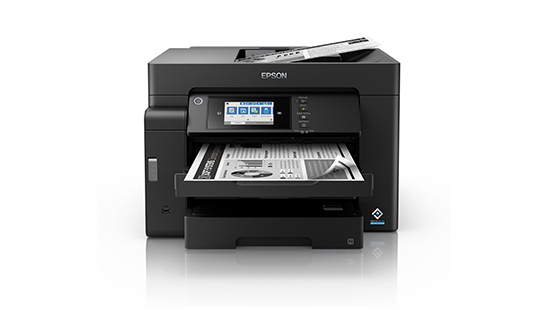
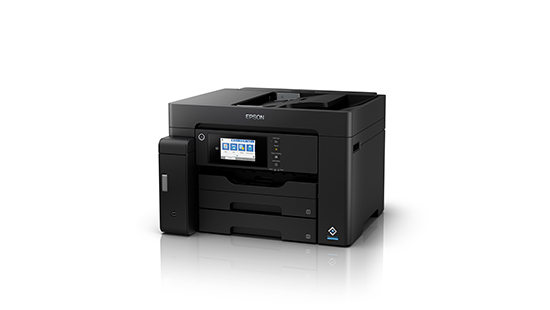
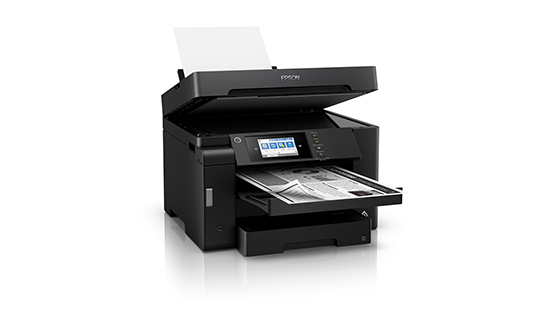
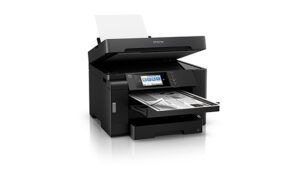
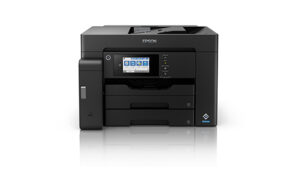
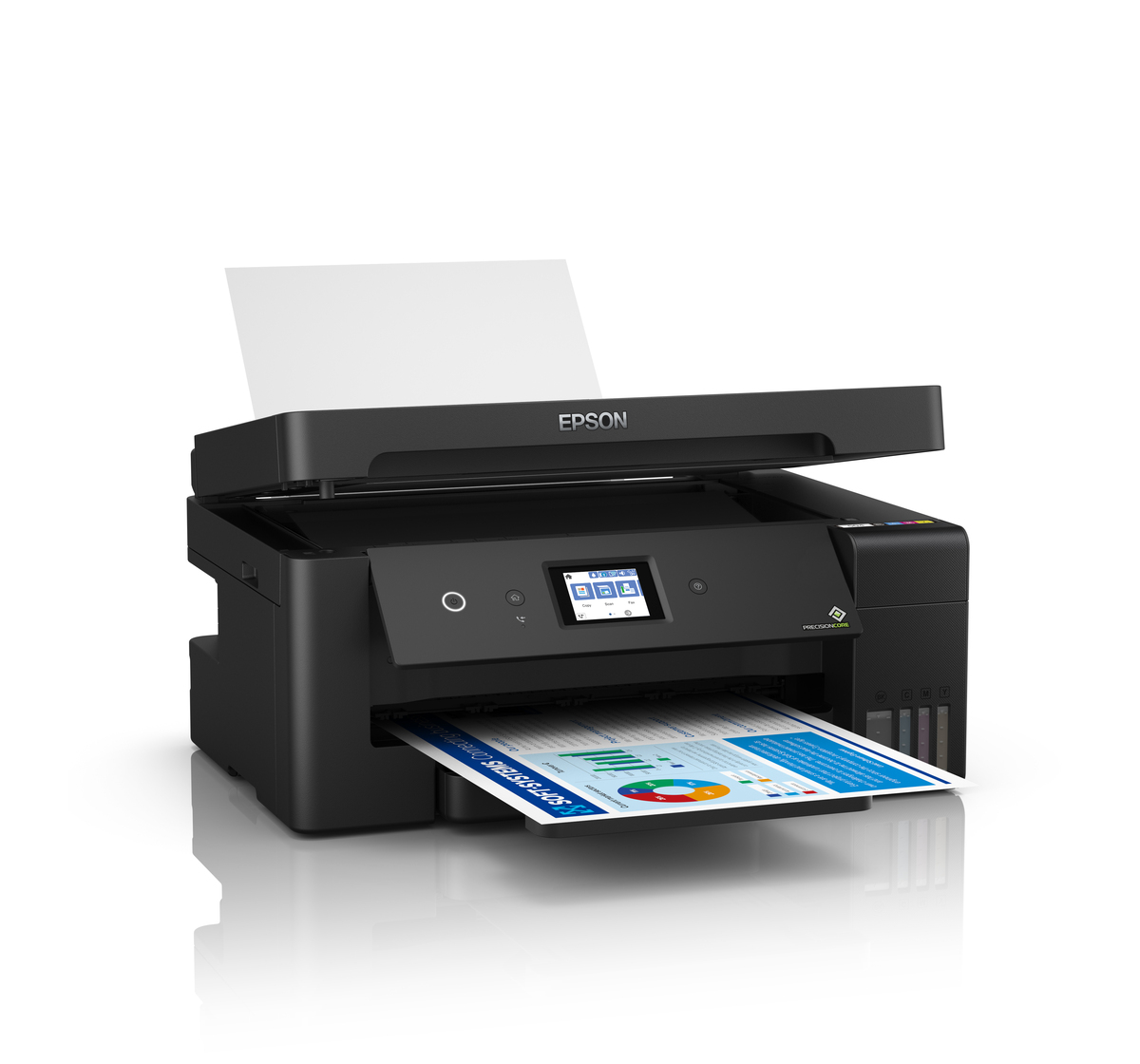
The Epson EcoTank M15180 features a professional black exterior with an integrated ink tank and large colour touchscreen.
Its dimensions are approximately 515 × 500 × 350 mm.
The printer weighs approximately 20.2 kg.
Despite supporting A3+ printing and an A3-capable scanner, it combines multiple business functions into one desktop unit.
The two front cassettes, rear feeder, duplex ADF and integrated ink tank provide convenient access to routine operations.
The machine should be installed on a stable surface with adequate clearance for paper feeding and maintenance.
Replaceable Maintenance Box
The Epson EcoTank M15180 uses a replaceable maintenance box.
Epson India’s official product page lists maintenance box code C12C934601.
The maintenance box collects waste ink generated during selected cleaning and maintenance operations.
When replacement is required, users should follow Epson’s recommended instructions.
Using the specified genuine maintenance box helps ensure compatibility with the printer’s maintenance system.
Customers should include maintenance consumables when planning long-term operating expenses for high-volume printing.
Epson EcoTank M15180 vs M15140
The Epson EcoTank M15180 and M15140 are closely related A3+ monochrome multifunction printers.
Both offer black-and-white printing, colour scanning, standalone copying, automatic A3 duplex printing, a 50-sheet duplex ADF and a total paper input capacity of up to 550 sheets.
Both also support Wi-Fi, Wi-Fi Direct and Ethernet.
The Epson M15180 adds business-oriented features such as Epson Open Platform, support for compatible print-management software, a larger 4.3-inch colour touchscreen and 2048 MB RAM.
The M15140 offers a smaller 2.7-inch touchscreen and is positioned for conventional A3 monochrome office printing.
For organisations requiring authentication, managed printing and enterprise workflow integration, the M15180 is the more business-focused model.
Epson EcoTank M15180 Warranty
Epson India advertises a manufacturer’s warranty of three years or 350,000 prints, whichever occurs first.
The manufacturer’s stated warranty includes printhead coverage subject to applicable conditions.
This extended coverage is particularly relevant for organisations purchasing a printer for higher-volume document production.
Customers should retain their purchase invoice and follow Epson India’s warranty registration and service requirements.
The exact entitlement should be confirmed for the supplied unit and serial number.
Ideal for Corporate Offices and Commercial Workspaces
The Epson EcoTank M15180 is suitable for businesses requiring large-format monochrome printing and document management.
Corporate offices can prepare reports, contracts, business correspondence and financial records.
Accounting departments can print detailed statements, ledger records, invoices and other business documents.
Educational institutions can produce examination materials, administrative paperwork and reference documents.
Professional service providers can scan multi-page records, make copies and print large-format monochrome documentation.
Managed office environments can benefit from printer authentication, network administration and compatible print-management software integration.
The combination of automatic duplex printing, A3 scanning, 50-sheet duplex ADF and high-capacity ink helps streamline business printing workflows.
Why Choose Epson EcoTank M15180?
The Epson EcoTank M15180 combines professional A3+ monochrome printing, automatic A3 duplex output, duplex ADF scanning and high-capacity paper handling.
Its ISO A4 printing speed of up to 25 ipm helps maintain productivity.
The refillable pigment black ink system supports economical printing, while the 550-sheet input capacity reduces frequent paper loading.
Wi-Fi, Wi-Fi Direct, Ethernet and mobile applications provide flexible connectivity.
Epson Open Platform, advanced printer languages and security features make it suitable for managed business environments.
For organisations looking for a high-capacity A3 monochrome multifunction printer with business-oriented document control, the Epson EcoTank M15180 is an excellent choice.
For official specifications, visit the Epson EcoTank M15180 manufacturer product page.
For replacement consumables, check the Epson M15180 official ink compatibility page.
Technical Specifications
| Specification | Details |
|---|---|
| Brand | Epson |
| Series | EcoTank |
| Model | M15180 |
| Manufacturer Part Number | C11CJ41507 |
| Suggested Seller SKU | EPSON-M15180-A3-MONO-WIFI-DUPLEX |
| Product Colour | Black |
| Product Type | A3+ Monochrome Multifunction Ink Tank Printer |
| Functions | Print, Scan, Copy |
| Print Output | Black & White |
| Scanning | Colour, Grayscale and Monochrome |
| Printing Technology | PrecisionCore Heat-Free Inkjet |
| Printhead Configuration | 800 Black Nozzles |
| Printing Direction | Bidirectional |
| Ink Technology | DURABrite ET Pigment Black |
| Number of Printing Ink Colours | 1 – Black |
| Maximum Print Resolution | 4800 × 2400 dpi |
| Minimum Ink Droplet | 3.8 pl |
| A4 Draft Print Speed | Up to 32 ppm |
| A4 ISO Simplex Print Speed | Up to 25 ipm |
| A4 ISO Duplex Print Speed | Up to 16 ipm |
| A3 ISO Simplex Print Speed | Up to 13.5 ipm |
| A3 ISO Duplex Print Speed | Up to 10 ipm |
| First Page Output, A4 Simplex | Approx. 5.5 Seconds |
| First Page Output, A4 Duplex | Approx. 11 Seconds |
| Maximum Monthly Duty Cycle | 66,000 Pages |
| Printer Language | ESC/P-R |
| Emulation | PCL5, PCL6, PostScript3, PDF 1.7 |
| Maximum Single-Sided Print Size | A3+ |
| Automatic Duplex Printing | Yes, up to A3 |
| A3+ Automatic Duplex Printing | No |
| Scanner Type | Colour CIS Flatbed with ADF |
| Optical Scan Resolution | 1200 × 2400 dpi |
| Maximum Flatbed Scan Area | 297 × 431.8 mm |
| Colour Scan Depth | 48-bit Input / 24-bit Output |
| Grayscale Scan Depth | 16-bit Input / 8-bit Output |
| Monochrome Scan Depth | 16-bit Input / 1-bit Output |
| Flatbed Monochrome Scan Speed | Approx. 5 sec at 200 dpi |
| Flatbed Colour Scan Speed | Approx. 10 sec at 200 dpi |
| ADF Monochrome Simplex Scan Speed | Up to 26 ipm |
| ADF Monochrome Duplex Scan Speed | Up to 11.5 ipm |
| ADF Colour Simplex Scan Speed | Up to 9 ipm |
| ADF Colour Duplex Scan Speed | Up to 6 ipm |
| Automatic Document Feeder | Yes |
| ADF Capacity | 50 Sheets at 80 gsm |
| Duplex ADF Scanning | Yes |
| ADF Paper Weight | 64–95 gsm |
| Copy Function | Yes |
| Copy Output | Monochrome |
| A4 Flatbed Copy Speed | Up to 23 ipm |
| A4 ADF Simplex Copy Speed | Up to 22.5 ipm |
| A4 ADF Duplex Copy Speed | Up to 15.5 ipm |
| Maximum Standalone Copies | 999 |
| Copy Reduction / Enlargement | 25%–400% |
| Maximum Copy Resolution | 600 × 600 dpi |
| Maximum Copy Size | A3 |
| Fax | No |
| Paper Feed Method | Friction Feed |
| Number of Paper Sources | 3 |
| Front Cassette 1 | 250 Sheets |
| Front Cassette 2 | 250 Sheets |
| Rear Paper Feeder | 50 Sheets |
| Total Paper Input | 550 Sheets |
| Paper Output Capacity | 125 Sheets |
| Supported Paper Sizes | A3+, A3, A4, A5, A6, B4, B5, B6, Letter, Legal and selected other formats |
| Supported Envelopes | #10, DL, C6, C4 |
| USB Connectivity | USB 2.0 |
| USB Host | Yes, compatible memory-device workflows |
| Wi-Fi | IEEE 802.11b/g/n |
| Wi-Fi Direct | Yes |
| Wi-Fi Direct Connections | Up to 8 Compatible Devices |
| Ethernet | 10/100 Mbps |
| Network Protocols | TCP/IPv4, TCP/IPv6, LPD, IPP, Port 9100, WSD |
| Network Management | SNMP, HTTP, DHCP, BOOTP, mDNS and other supported protocols |
| Security Features | Access Limitations, PIN Authentication, LDAP, IP Filtering, Administrator Controls |
| Epson Open Platform | Yes |
| Print Management | Compatible Epson Print Admin integration |
| Epson Connect | Smart Panel, iPrint, Email Print, Remote Print Driver, Scan to Cloud |
| Other Mobile Printing | Apple AirPrint, Mopria Print Service |
| Scan Destinations | Memory Device, Network Folder / FTP, Email, Computer |
| LCD Display | 10.9 cm (4.3-inch) Colour Touchscreen |
| Printer RAM | 2048 MB |
| Processor | Dual-Core 768 MHz |
| Genuine Ink | Epson T06G Pigment Black |
| Black Ink Part Number | C13T06G198 |
| Advertised Replacement Ink Yield | Up to 7,500 Pages |
| Maintenance Box | C12C934601 |
| Operating Power Consumption | Approx. 21 W |
| Standby Power | Approx. 9.9 W |
| Sleep Power | Approx. 0.8 W |
| Power Off Consumption | Approx. 0.2 W |
| Typical Electricity Consumption | 0.14 kWh, manufacturer-rated test figure |
| Rated Voltage | AC 220–240 V |
| Rated Frequency | 50–60 Hz |
| Dimensions (W × D × H) | 515 × 500 × 350 mm |
| Weight | Approx. 20.2 kg |
| Manufacturer Warranty | 3 Years or 350,000 Prints, whichever comes first |




Reviews
Clear filtersThere are no reviews yet.